Delayed Egress Lighting (If Equipped)
RXA0098156-UN-07NOV08
CommandARM™ Menu Button
RXA0119867-UN-17AUG11
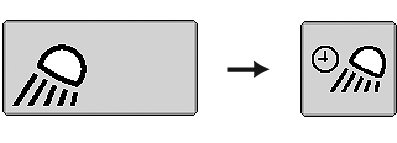
Lights Softkey → Delayed Egress Lighting Softkey
RXA0119855-UN-17AUG11
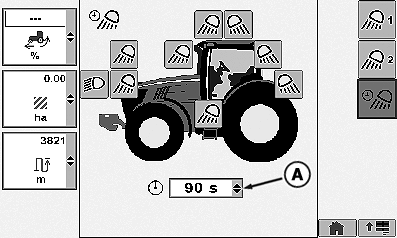
Lights Page (Delayed Egress Lighting)
RXA0105959-UN-26MAR10
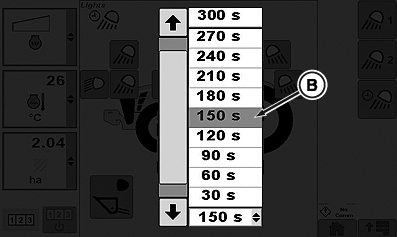
Delayed Egress Time Drop Down Box
A - Delayed Egress Time Drop Down Box
B - Delayed Egress Time
Programming delayed egress lighting allows operator to select which combination of road/flood lights will remain on and for the amount of time those selected lights will remain on after light selector knob is turned to the OFF position.
Field egress lighting is all lights chosen on egress lighting page and will activate for the time selected. Field egress lighting will activate when the light switch has been in “Field” position for at least 10 seconds with the key switch on, and light switch is turned off with key switch on, and key switch has been turned off within 5 minutes of the light switch being turned off.
Road egress lighting will only be active for the time selected on egress lighting page for only low beam road lights. Road egress lighting will activate when the light switch has been in “Road” position for at least 10 seconds with the key switch on, and light switch turned off with key switch on, and key switch has been turned off within 5 minutes of the light switch being turned off.
- Select Menu button.
- Select Lights softkey.
- Select Delayed Egress Lighting softkey.
- Select Delayed Egress Time Drop Down Box (A).
- When drop-down box options appear, select desired Delayed Egress Time (B) before lights will automatically turn off. This could be from 10 to 300 seconds in 30 second increments.
|
CommandARM is a trademark of Deere & Company |
OURX935,0001099-19-20120711 |