Display Control and Touchscreen Tests (If Equipped)
RXA0116468-UN-12MAY11
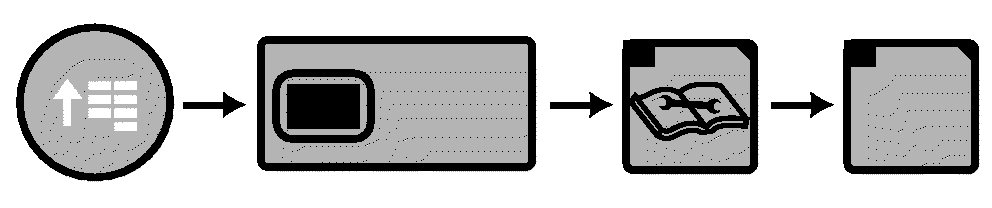
CommandARM Menu Button → Display Softkey → Diagnostics Softkey → Tests Softkey
RXA0117110-UN-16MAY11
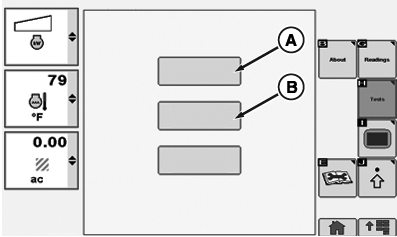
Display Control Test Page
RXA0117112-UN-16MAY11
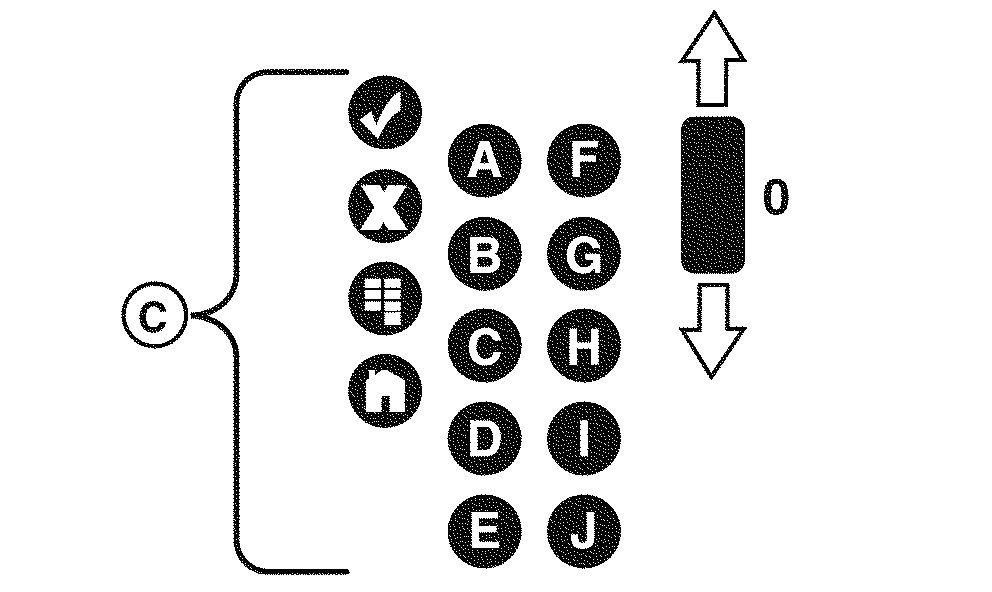
Display Control Test
A - Display Control Test
B - Touchscreen Test
C - Shortcut And Softkey Buttons
-
Select Menu button.
-
Select Display softkey.
-
Select Diagnostics softkey.
-
Select Tests softkey.
-
Select Display Control Test box (A).
-
At Display Control Test page, press any CommandARM softkey and verify the corresponding button (C) on CommandCenter page is highlighted.
-
Select Touchscreen Test box (B), then follow instructions on page.
-
Select Done box when finished.
|
RX32825,000028B-19-20110830 |