Touchscreen Calibration Test
RXA0116468-UN-12MAY11
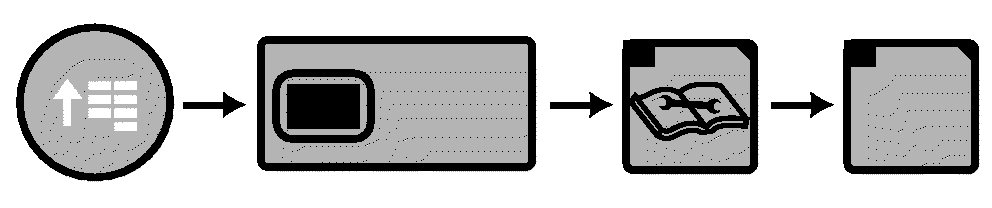
CommandARM Menu Button → Display Softkey → Diagnostics Softkey → Tests Softkey
RXA0117111-UN-16MAY11
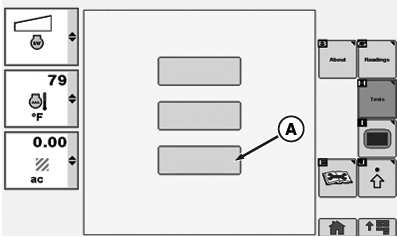
Display Control Test
A - Touchscreen Calibration Box
-
Select Menu button.
-
Select Display softkey.
-
Select Diagnostics softkey.
-
Select Tests softkey.
-
Select Touchscreen calibration box (A).
-
When page displays page is blank except for printed statement, “Touch the mark to calibrate touch accuracy”. Test Touch Pattern appears at center of page. Using your finger, touch Test Touch Pattern and release.
-
Test Touch Pattern appears at upper left corner, touch Touch Test Pattern and release. Touch Test Pattern appears in lower left corner.
Touch Test Touch Pattern. Touch Test Pattern appears in lower right corner.
Touch Test Touch Pattern. Touch Test Pattern appears in upper right corner.
Touch Test Touch Pattern. Touch Test pattern appears in center of screen.
Touch Test Touch Pattern.
-
If “Success!” appears no other action is required.
If “Failed!” appears, perform test again.
If “Failed!” appears, after second attempt, contact your John Deere dealer.
|
RX32825,000028C-19-20110830 |