Phone Book on the CommandCenter
RXA0117319-UN-18MAY11
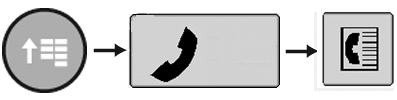
CommandARM Menu Button → Phone → Phone Book
RXA0113302-UN-27JAN11
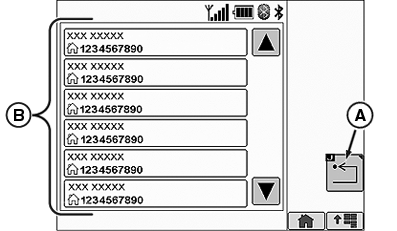
A - Return
B - Phone Book Contact List
Select Menu button.
Select Phone softkey.
Select Phone Book softkey.
If a new contact is made in your cell phone, the phone must be re-synced with the radio Bluetooth® (see Phone Settings on CommandCenter™ in this section). A contact entry CANNOT be edited through the CommandCenter™. The contact must be edited through the cell phone, and the cell phone must be re-synced with the radio Bluetooth® (see Phone Settings on CommandCenter™ in this section).
Selecting a contact from the Phone Book Contact List (B) will automatically place a call to that contact number. An incoming call from a contact will display a contact's name and number. If a call is received from an unknown phone number, the phone number and Unknown will be displayed in a popup window.
When a call is missed, a missed call popup window will be displayed with the callers phone number and name if the caller is listed in the phone book, or Unknown if the caller is not listed.
NOTE: Some phones will not correctly sync with the radio Bluetooth® . When this happens a call cannot be made from the Phone Book page.
The maximum number of phone book entries is 650. The maximum number of characters in a phone number is 20. The maximum number of characters in a phone book name is 20.
|
CommandCenter is a trademark of Deere & Company Bluetooth is a trademark of Bluetooth SIG |
OURX935,0000507-19-20110804 |