Exhaust Filter System Overview
Your machine is equipped with an emission compliant engine which cleans and filters the exhaust. Under normal machine operation and with system in AUTO mode, the system requires minimal operator interaction.
To avoid unnecessary buildup of diesel particulates or soot in the exhaust filter system;
- Utilize AUTO Exhaust Filter Cleaning mode
- Avoid unnecessary idling
- Use proper engine oil. (See Fuels, Lubricants, and Coolants section for recommendations.)
- Use only ultra low sulfur fuel. (See Fuels, Lubricants, and Coolants section for recommendations.)
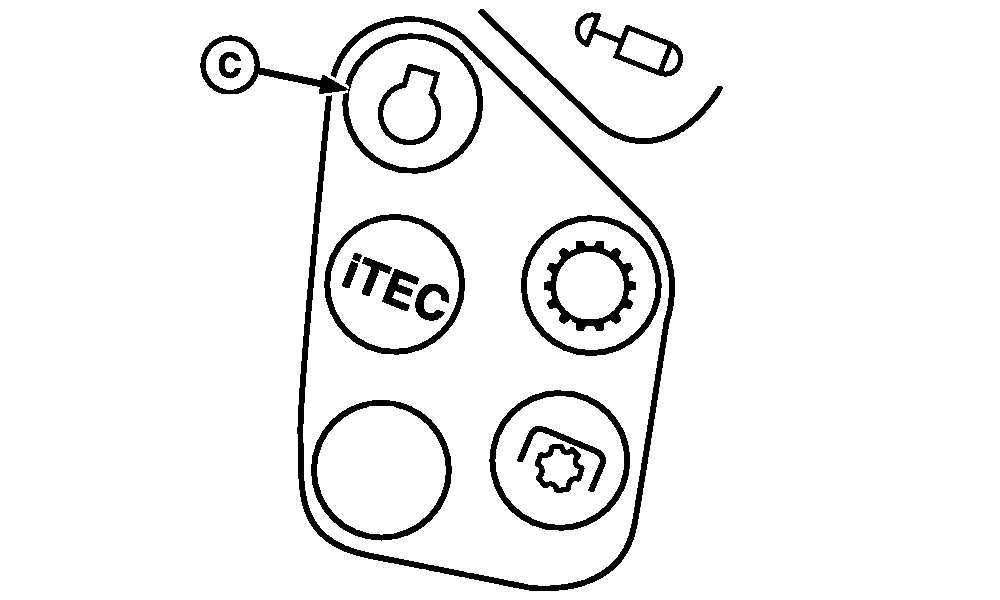
H94790-UN-06OCT09
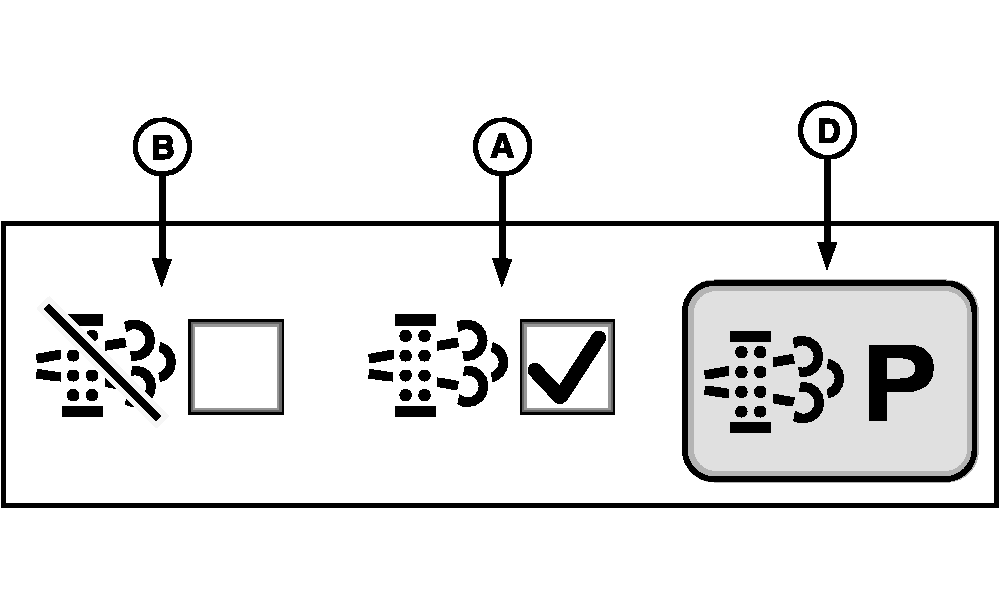
RXA0108765-UN-15JUL10
A - AUTO Exhaust Filter Cleaning Mode
B - Disable Exhaust Filter Cleaning Mode
C - Engine Button
D - Parked Exhaust Filter Cleaning Button
There are two exhaust filter system modes; Auto (A) and Disable (B). Mode selection can be accessed via the engine page by pressing engine button (C) on the CommandARM™ console.IMPORTANT: Disable mode (B) should be used when temporarily connected to an indoor ducted exhaust system for diagnostic and repair activities.
NOTE: Parked Exhaust Filter Cleaning button (D) may be active or inactive (grayed out) depending on exhaust filter restriction level. See Parked Exhaust Filter Cleaning later in this section.
|
CommandARM is a trademark of Deere & Company |
OURX985,00000D3-19-20101025 |