Setting Rear PTO Engagement Rate
-
Select PTO on the menu screen.

RXA0104058-UN-22JUL09PTO Short Cut Button
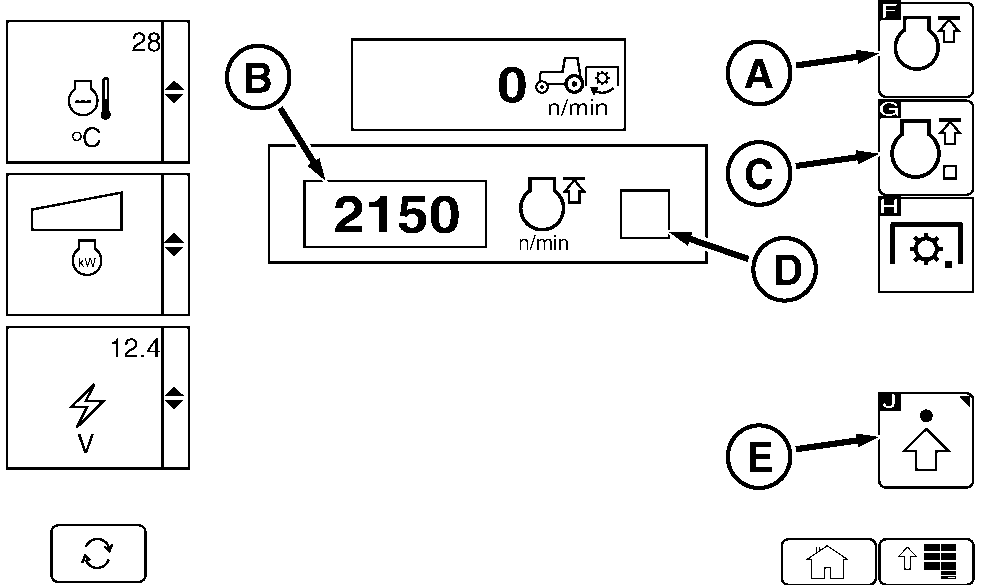
RXA0120229-UN-01SEP11PTO Page
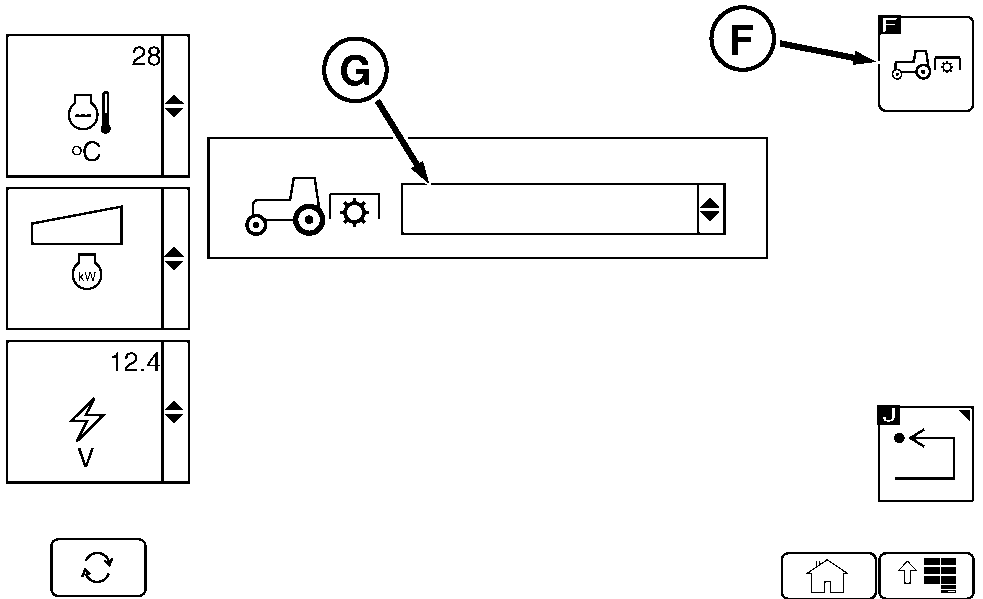
RXA0120230-UN-01SEP11PTO Advanced Page
A - FieldCruise Setting Soft Key
B - Advanced Settings Soft Key
C - FieldCruise Settings Box
D - FieldCruise On/Off Soft Key
E - FieldCruise On/Off Check Box
F - PTO Icon
G - Drop Down Box
NOTE: When FieldCruise Settings soft key (A) is selected FIELDCRUISE settings box (C) is highlighted. Using thumb wheel engine rpm can be adjusted.
-
Rotate thumb wheel forward to increase or rearward to decrease engine rpm.
-
Select FIELDCRUISE On/Off soft key (D). Check mark in FIELDCRUISE settings box (E) will indicate FIELDCRUISE is ON (checked) or OFF (unchecked).
Setting Rear PTO Engagement Rate
NOTE: PTO advanced settings page will display the current PTO engagement rate.
-
Select PTO Advanced Soft Key (E).
-
Select the rear PTO icon (F) or click on double arrow in drop down box (G) for PTO Engagement Rate setting menu.
-
The drop down box will display 3 Engagement Rate options:
- AUTO
- Low Rate
- High Rate
-
Use thumb wheel to scroll to select the rate needed and press the Confirm button.
|
RW29387,00000ED-19-20110902 |