Installing GreenStar™ System Components
IMPORTANT: This vehicle employs one or more CAN bus networks. Connecting unapproved devices to vehicle network (s) may cause machine to degrade in performance or fail to perform properly. Further, unapproved devices that attempt control of tractor functions should not be connected to implement network (ISOBUS).
RXA0118410-UN-24JUN11
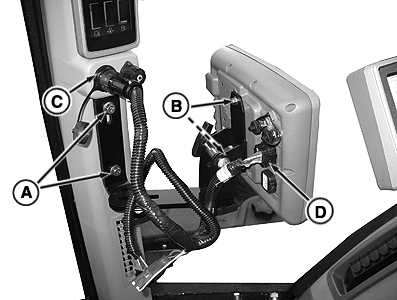
Attach Bracket To Corner Post Mount
RXA0118360-UN-24JUN11
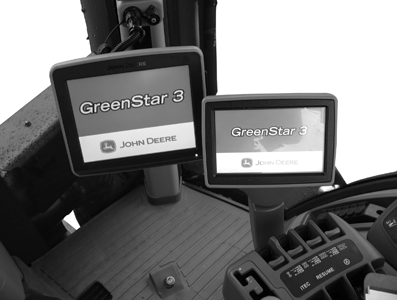
GreenStar Display Front View
RXA0109999-UN-20AUG10
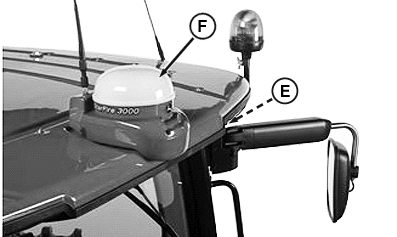
Connect StarFire Receiver
A - Corner Post Mounts
B - Bolts (2 Used)
C - GreenStar Corner Post Connector
D - GreenStar Display Connector
E - StarFire™ Receiver Connector
F - StarFire Receiver
-
Attach bracket to corner post mounts (A).
-
Attach display to bracket using bolts (B) (provided with display).
-
Attach harness to corner post connector (C) and lower GreenStar display connector (D) on back of the display.
-
Position display so that it is comfortable to reach and does not obstruct your view.
-
Connect StarFire™ receiver connector (E) to Starfire receiver (F).
NOTE: See your John Deere™ dealer for compatible adapter harnesses.
|
StarFire is a trademark of Deere & Company John Deere is a trademark of Deere & Company |
RW29387,0000329-19-20110623 |