Hitch Set-up and Use (Quick Reference)
RXA0099818-UN-24NOV08
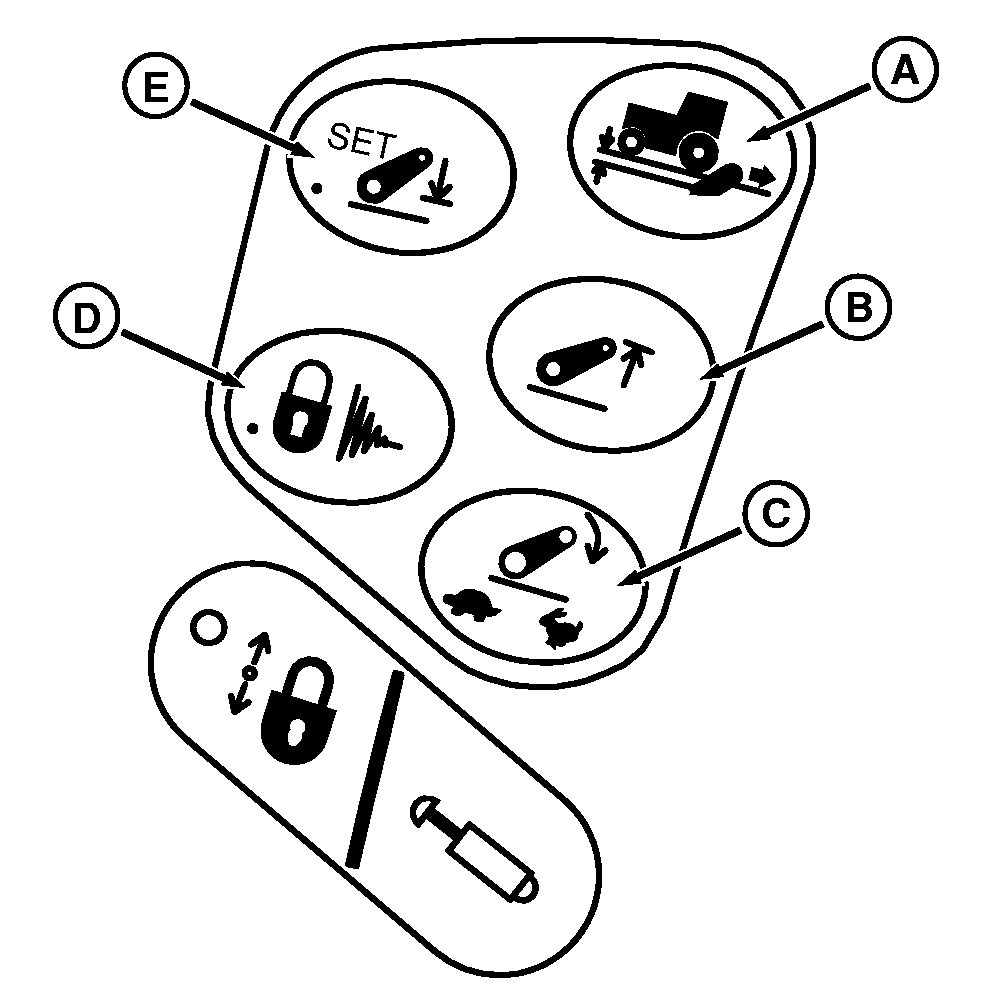
Short Cut Buttons
RXA0101379-UN-07APR09
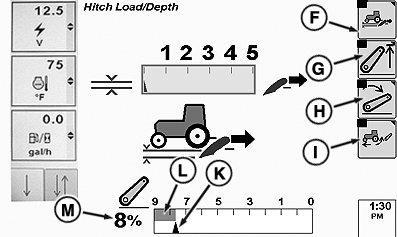
Soft Keys
RXA0109221-UN-03AUG10
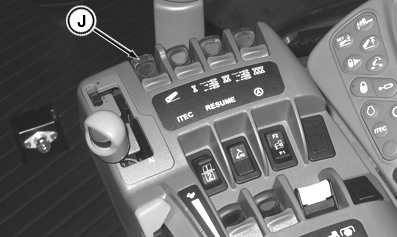
Hitch Lever
A - Load Depth Short Cut Button
B - Upper Limit Short Cut Button
C - Drop Rate Short Cut Button
D - Transport Lock/Dampening Button
E - Depth Set Button
F - Load Depth Soft Key
G - Upper Limit Soft Key
H - Drop Rate Soft Key
I - Hitch Slip Soft Key
J - Hitch Command Lever
K - Commanded Depth Indicator
L - Stored Depth Indication
M - Hitch Position Value
Select adjustment to display by pressing required short cut button (A, B, C, or E). Use thumb wheel to change adjustment setting.
- Lower implement to desired operating depth using Hitch Command lever (J)
- Press Depth Set button (E) to save operating depth.
Set Operating Depth
- At end of field, pull lever into raise detent and release. Hitch will raise to upper height limit.
- After turnaround, push lever into lower detent and release. Hitch will lower to saved depth setting.
Turn at End
Hitch command information appears in lower portion of hitch pages. Commanded depth is represented by commanded depth indicator (K). Stored depth setting is represented by stored depth indication. Pressing depth Set button (E) will move bar to align with commanded depth indicator (K). Hitch position value (M) represents actual hitch position. When hitch is completely down, the hitch position value is 0%. When hitch is completely up, the hitch position value is 100%.
|
RW29387,0000344-19-20100729 |