Using Differential Lock
RXA0110559-UN-16SEP10
RXA0109267-UN-03SEP10
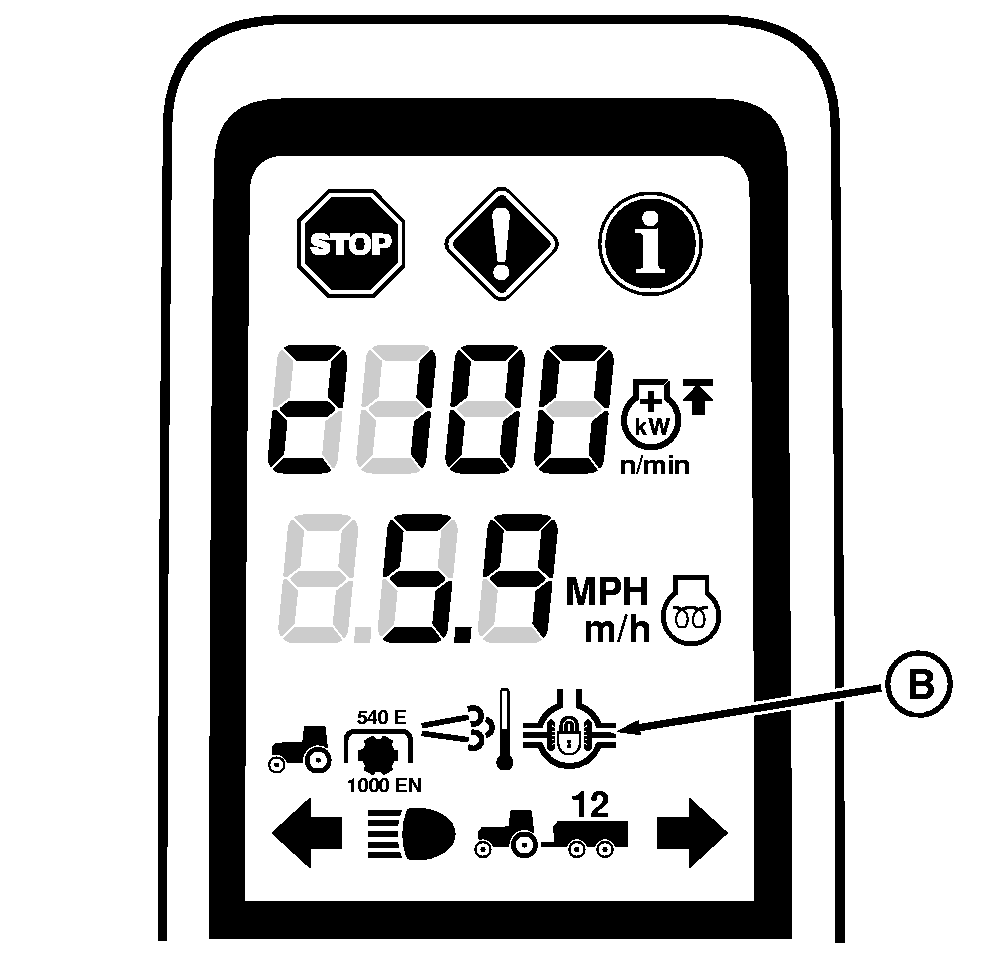
Corner Post Display
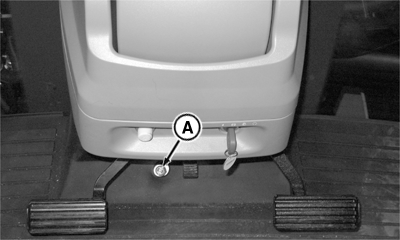
A - Differential Lock Switch
B - Differential Lock Indicator
IMPORTANT: Engage differential lock before entering a situation where wheel slippage may occur or when all wheels appear to be turning at the same speed. If engaged after wheels begin to spin, damage to differential could result.
Engage differential lock by pressing switch (A). Indicator light on corner post display panel shows engagement.
Differential lock can be disengaged by using brake pedal or decelerator button.
For tractors with Standard Axle, when brake pedal is pressed, which turns off the front and rear differential lock systems.
For tractors with Double Reduction Axles, the brake and differential lock systems function together as described below:
-
When differential lock switch has been pressed, both front and
rear differential locks turn on. When the brake pedal is depressed,
the front remains on and the rear turns off. When the brake
pedal is released, both front and rear differential locks turn off.
The indicator light will turn off once the brake pedal is released.
-
When differential lock switch has not been pressed, the front
differential lock will turn on while the brake pedal is pressed and
turn off when it is released.
The indicator light will turn off once the brake pedal is released.
|
Quick Reference |
|
|---|---|
|
Differential Lock ON: |
Front and Rear differential locks ON |
|
Brake Depressed |
Front differential lock ON and Rear differential lock OFF |
|
Brake Released |
Front and Rear differential locks OFF |
|
Differential Lock OFF: |
Front and Rear differential locks OFF |
|
Brake Depressed |
Front differential lock ON and Rear differential lock OFF |
|
Brake Released |
Front and Rear differential locks OFF |
|
RW29387,00004CB-19-20110804 |