Display Control Test
RXA0106635-UN-14JUL10
Display → Test
RXA0106107-UN-20AUG10
Display→ Diagnostic→ Test
RXA0106632-UN-11AUG10
Display Control Test
RXA0106634-UN-03MAR10
Test Page
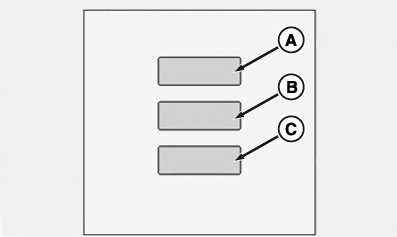
A - Display Control Test
B - TouchScreen Test
C - TouchScreen Calibration
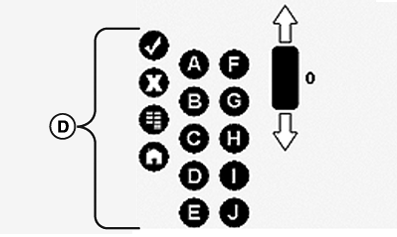
D - Shortcut And Softkey Buttons
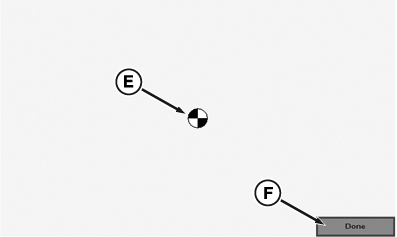
E - Test Pattern
F - Done
-
Select Menu button.
-
Select Display.
-
Select Tests softkey.
-
Select Display Control Test box (A).
-
At Display Control Test page, press any CommandARM™ softkey and verify the corresponding button (D) on the page is highlighted.
-
Select Touchscreen Test box (B), a box appears allowing you to select Done box (F)
-
Select Touchscreen Calibration box (C), page appears with test pattern (E).
-
Select Done box (F) when finished.
|
CommandARM is a trademark of Deere & Company |
RW29387,0000701-19-20100715 |