Using Cast Hub Wheel Weights
RW26744-UN-22NOV99
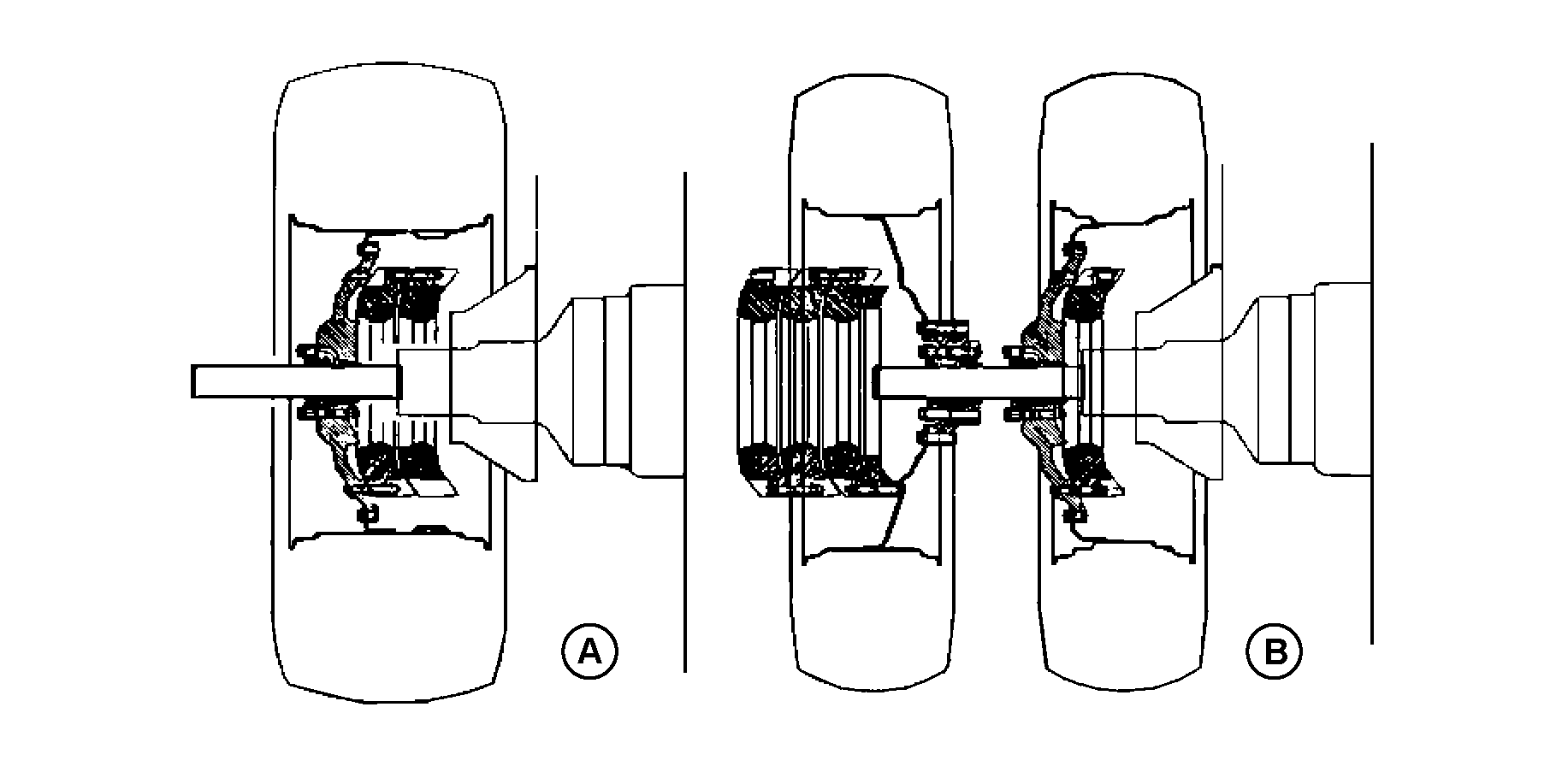
A - Single Wheel (110 mm Axle)
B - Dual Wheels (110 and 120 mm Axle)
 CAUTION: When installing weights, use appropriate equipment
or see your John Deere Dealer.
CAUTION: When installing weights, use appropriate equipment
or see your John Deere Dealer.
Cast iron weights of 75 kg (165 lb), 205 kg (450 lb) or 635 kg (1400 lb) are available for cast or steel wheels. Weights can be installed on inside or outside of wheel. Also 635 kg (1400 lb) cast weights are available to be installed on inside of cast wheel. Use diagrams showing placement of weights or see your John Deere Dealer.
RXA0119716-UN-11AUG11
Installing Cast Weights on Wheels
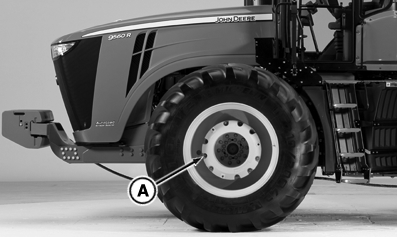
A - Mounting Holes
|
Weight Attaching Cap Screws—Specification |
|---|
|
M16-Cap Screw—Torque..............310 N˙m (230 lb-ft) |
|
M20-Cap Screw—Torque..............610 N˙m (450 lb-ft) |
Install cast weights on wheel.
For additional weights, install cap screws in previous weight. Rotate alternate weight to align cap screws with mounting holes (A).
Tighten cap screws and then retighten after driving approximately 100 meters (110 yd).
Retighten cap screws after working 3 HOURS and again after 10 HOURS.
Check torque every 250 hours.
IMPORTANT: Inside wheel weight must have at least 25 mm (1 in.) clearance between weight and tractor components.
Do NOT stack more than 690 kg (1520 lb) of weights together—three 205 kg (450 lb) weights and one 75 kg (165 lb) weight.
|
RW29387,000079D-19-20110902 |