Configuring Selective Control Valves On CommandCenter™ - Standard Mode
RXA0117606-UN-10JUN11
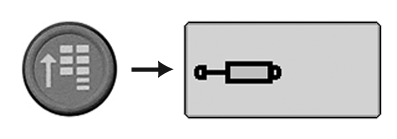
CommandARM Menu Button → SCV Softkey
RXA0121756-UN-27OCT11
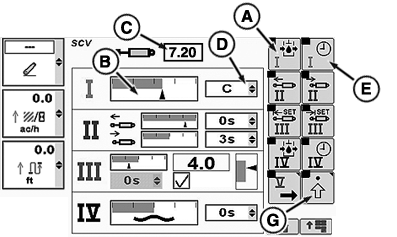
SCV Homepage
RXA0121757-UN-27OCT11
A - Detent Flow Softkey
B - Flow Bar Graph
C - Detent Flow Box
D - Detent Time Drop Down Box
E - Detent Time Softkey
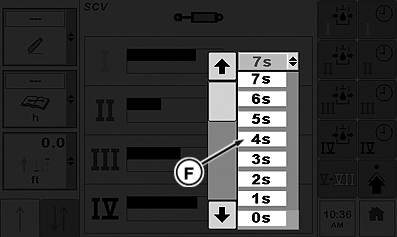
F - Detent Time Selections
G - Advanced Settings Softkey
SCV I in standard mode has flow and detent time setting which adjusts both extend and retract.
-
Select Menu button.
-
Select SCV softkey.
-
Press Detent Flow softkey (A) to highlight flow bar graph (B).
NOTE: Current flow bar graph indicator depicts amount of flow. Flow is displayed in increments of 0.04 beginning at 0.04 through 10 in box (C).
-
Rotate CommandARM controls thumb wheel forward or rearward while watching current flow bar graph indicator move right or left respectively. Value in detent flow box (C) increases or decreases as thumb wheel is rotated.
NOTE: When selected, detent time drop down box (D) will display amount of time in 1 second increments up to 10, then increments of every 2 seconds; 12, 14, 16, 18, up to 20, then 25, 30, 40, 50, 60, 90, 120, 180 seconds or C for continuous.
-
Select detent time softkey (E) to navigate to detent time drop down box (D). Open drop-down box displaying available detent time selections (F).
-
Press Confirm button to select desired time. Desired time will now appear in drop-down box.
NOTE: To set any SCV in independent mode select advanced settings softkey (G).
|
RX32825,0000417-19-20120705 |