Adjust Load Depth Control (Draft Response)
RXA0133710-UN-16JUL13
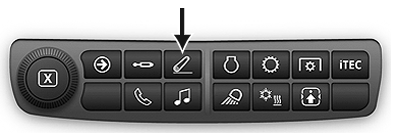
Rear Hitch Shortcut Button on Navigation Bar
RXA0143172-UN-01JUL14
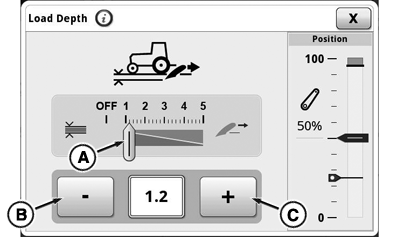
Rear Hitch Load Depth Module
RXA0140227-UN-31MAR14
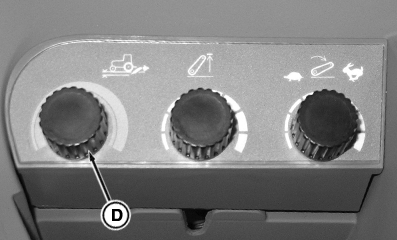
Rear Hitch Dials
A - Load Depth Indicator
B - Decrease Value Button
C - Increase Value Button
D - Load Depth Hitch Dial
Load depth control adjustment changes draft responsiveness only. Operating depth is adjusted with rear hitch control lever or depth adjust hitch dial.
-
Select load depth module.
-
Set load depth value by using decrease value button (B) or increase value button (C).
- For position only control, turn load depth setting to OFF. See Using Position Control in this section of this Operator’s Manual.
- Higher settings are used for draft control. See Using Draft Control in this section of this Operator’s Manual.
NOTE: Load depth can also be adjusted with load depth hitch dial (D).
|
GH15097,0000869-19-20140707 |