Intelligent Power Management (If Equipped)
RXA0133711-UN-16JUL13
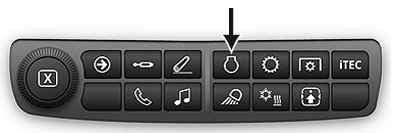
Engine Shortcut Button on Navigation Bar
RXA0135976-UN-08OCT13
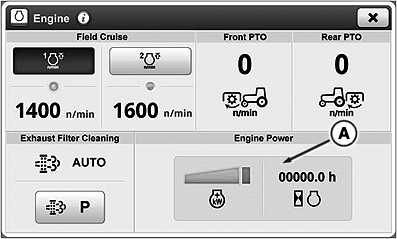
Intelligent Power Management
RXA0141563-UN-13MAY14
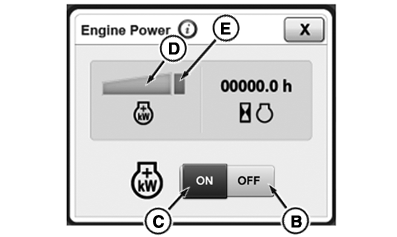
Engine Power Overlay
A - Intelligent Power Management Module
B - Intelligent Power Management Off Toggle
C - Intelligent Power Management On Toggle
D - Intelligent Power Management Graph
E - Intelligent Power Management Engaged Icon
Intelligent Power Management (IPM) is available as factory or field installed option. IPM provides controlled power boost of up to 26kW (35hp) to tractor when:
- Accelerating at transport speeds, power boost occurs in steps through range of 23-28 km/h (14.3-17.4 mph).
- Decelerating at transport speeds, power boost ramps down in equal steps in range of 23-18 km/h (14.3-11.2 mph).
- PTO is under load and consuming moderate power and tractor is moving at 0.5 km/h (0.3 mph) or more.
- With tractor moving and rear PTO under load or in transport above 23 km/h (14.3 mph), power increase indicator will appear on display and IPM level is displayed on CommandCenter™
Power increase is not provided under draft applications or non-loaded rear PTO applications. Power increase is only provided when required.
-
Press Engine Shortcut Button on Navigation Bar.
-
Select IPM module (A) to activate IPM.
-
IPM On/Off toggle appears.
-
Toggle ON IPM (C).
-
IPM engaged icon (E) appears.
When IPM is engaged, IPM level is identified by solid portion displayed in IPM Graph (D). Segments to right of solid portion indicate additional engine power above rated.
|
CommandCenter is a trademark of Deere & Company |
KT81203,00000B1-19-20140804 |