Configuring Selective Control Valves - Access to Settings
 CAUTION: Do not operate front loaders in conjunction with Intelligent
Total Equipment Control (iTEC™) to avoid sudden movements and
possible accidents.
CAUTION: Do not operate front loaders in conjunction with Intelligent
Total Equipment Control (iTEC™) to avoid sudden movements and
possible accidents.
NOTE: The SCV Page at right has the Flow Indicators (F) appearing for reference only, the Flow Indicator will only appear if the SCV is activated and hydraulic oil is flowing. Flow Display (G) will only appear in yellow when the SCV is activated and hydraulic oil is flowing.
Feature Mode optional connector to be configured correctly.
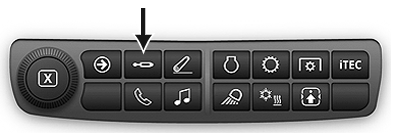
RXA0133709-UN-16JUL13
SCV Shortcut Button on Navigation Bar
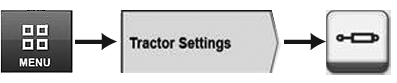
RXA0128092-UN-10SEP12
Menu → Tractor Settings Tab → SCV Icon
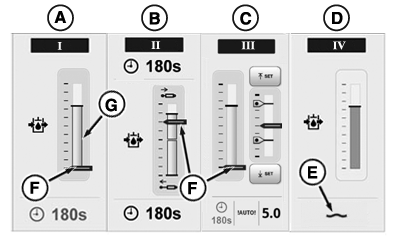
RXA0131094-UN-08AUG13
SCV Page
A - SCV Standard Mode
B - SCV Independent Mode
C - SCV Feature Mode
D - SCV Float Operation
E - Float Symbol
F - Flow Indicator
G - Flow Display
Press SCV shortcut button on Navigation Bar or follow alternative path:
- Select Menu.
- Select Tractor Settings tab.
- Select SCV icon.
Each SCV can be configured to three different modes: standard mode displayed in SCV I (A), independent mode displayed in SCV II (B), or feature mode displayed in SCV III (C).
Additionally when SCV is set to float as in SCV IV (D), float symbol (E) appears.
|
RD47322,0000236-19-20130825 |