Active Set

PC15336-UN-10JUL13
Active Set
Active Set is a collection of up to ten run pages that are grouped together for an operation (i.e. planting or tillage). Only pages in Active Set appear when cycling through run pages on main page.
Select Active Set to display Edit Run Page Set page.

PC15341-UN-10JUL13
Add Run Page Button
Add Run Page to Active SetSelect Add Run Page button to display a list of run pages that can be added to the set. Choose one of the run pages and select OK.
PC15338-UN-10JUL13
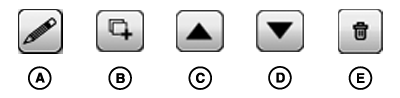
A - Edit Button
B - Duplicate Button
C - Up Button
D - Down Button
E - Remove Button
Edit Run Pages in Active SetSelect one of the run pages to show a row of buttons for editing that run page.
Select Edit button (A) to change the modules on run page.
Select Duplicate button (B) to create a new run page with same modules.
Select Up and Down buttons (C and D) to change order of run pages. Run page order is used when cycling through pages on main page.
Select Remove button (E) to delete run page from Active Set. Run page is still in All Run Pages list, just no longer in Active Set.
NOTE: Remove button is not shown if only one run page is in Active Set.
|
DX,PC,LAYOUT,ACTIVESET-19-20151222 |