All Run Pages

PC15340-UN-10JUL13
All Run Pages
All Run Pages tab displays every run page that has been created on display. These include current run pages that are in Active Set, as well as run pages that will be used in future operations.
PC15339-UN-10JUL13
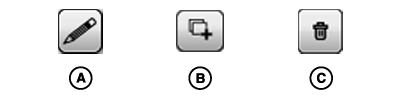
A - Edit Button
B - Duplicate Button
C - Remove Button
Edit Run PageSelect one of the run pages to show a row of buttons for editing that run page.
Select Edit button (A) to change the modules on run page.
Select Duplicate button (B) to create a new run page with same modules.
Select Remove button (C) to delete run page from display. This permanently removes run page from display and Active Set.
NOTE: Remove button is not shown if factory default run page is selected.

PC15341-UN-10JUL13
Add New Button
Create Run PageSelect Add New button to create a new Run Page.
|
DX,PC,LAYOUT,ALLRUNPAGES-19-20151222 |