Adjust Load/Depth Control (Draft Response)
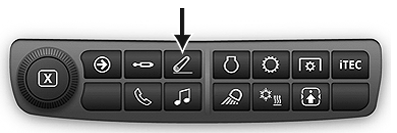
RXA0133710-UN-16JUL13
Rear Hitch Shortcut Button on Navigation Bar
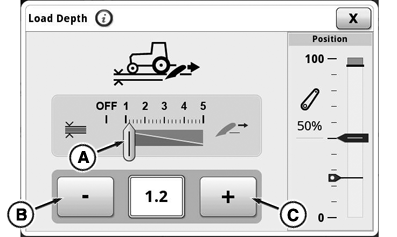
RXA0143172-UN-01JUL14
Rear Hitch Load Depth Module
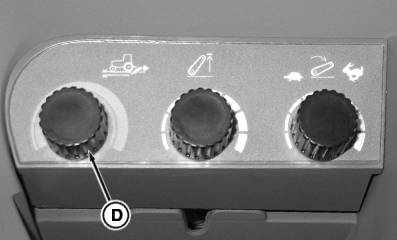
RXA0140227-UN-31MAR14
Rear Hitch Dials
A - Load Depth Value
B - Decrease Value Button
C - Increase Value Button
D - Load Depth Hitch Dial
Load/depth control allows control of movement of hitch while working. Correct adjustment provides better control of implement depth and operating efficiency. Examples of results obtained using various settings are shown below.
-
Press rear hitch shortcut button on navigation bar.
-
Select load depth module.
-
Set load depth value (A) with decrease (B) and increase (C) value buttons or load depth hitch dial (D).
- For position only control, turn load depth setting to OFF. See Using Position Control in this section of this Operator’s Manual.
- Higher settings are used for draft control. See Using Draft Control in this section of this Operator’s Manual.
|
GH15097,0000869-19-20160301 |