Rear Hitch
RXA0139474-UN-24FEB14

RXA0128919-UN-09NOV12
RXA0133710-UN-16JUL13
RXA0143169-UN-01JUL14
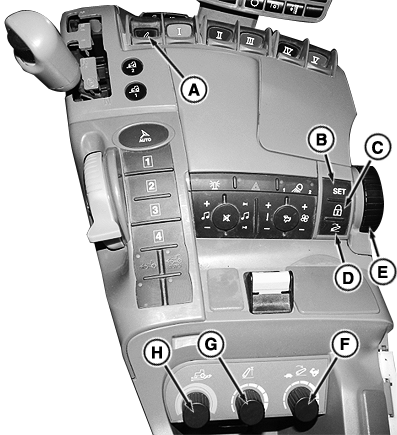
A - Rear Hitch Control Lever
B - Set Point Button
C - Lock Button
D - Resume Button
E - Depth Adjust Hitch Dial
F - Drop Rate Hitch Dial
G - Upper Limit Hitch Dial
H - Load Depth Hitch Dial
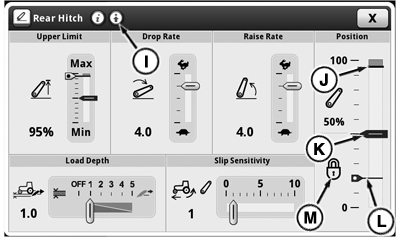
I - Advanced Settings Button
J - Upper Limit Indicator
K - Hitch Position Indicator
L - Set Point Indicator
M - Lock Icon
Controls:
Operator can perform hitch functions by using following controls:
- Rear Hitch Control Lever (A)
- Depth Adjust Hitch Dial (E)
Settings:
Rear hitch settings can be adjusted by using CommandCenter™ or following controls:
- Drop Rate Hitch Dial (F)
- Upper Limit Hitch Dial (G)
- Load Depth Hitch Dial (H)
Rear Hitch Settings Page can be accessed in two ways:
- Select Menu.
- Select Tractor Settings tab.
- Select Rear Hitch icon.
CommandCenter™:
Navigation Bar:
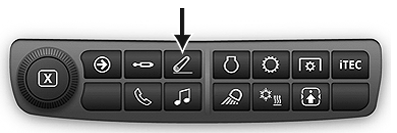
Press Navigation Bar Rear Hitch Button.
|
GH15097,0000876-19-20140710 |