CommandARM™ ISOBUS Shortcut Button (ISB)
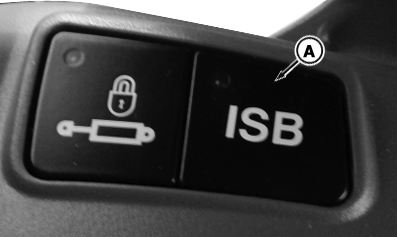
RXA0136449-UN-06NOV13
CommandARM™ ISOBUS Shortcut Button
A - ISB/ISOBUS Button
In an ISOBUS-system an operator can activate a function of an implement over ISOBUS via Implement’s Operator Interface on display (read ISOBUS controller’s operator’s manual for more information).
After activation, operator can change screen of display in order to operate another implement or interact with other applications.
Deactivation of functions on first implement is not possible unless operator manually switches back to the according screen of first implement. ISB shall provide a direct method to inform all ISOBUS participants about operators desire to deactivate functions that was activated by an ISOBUS control.
 CAUTION: Read appropriate operator’s manual. ISB button
function is proprietary to implement manufacturer. Verify button function
in a safe and open area that is clear of bystanders.
CAUTION: Read appropriate operator’s manual. ISB button
function is proprietary to implement manufacturer. Verify button function
in a safe and open area that is clear of bystanders.
ISB/ISOBUS Button (A): Pressing the ISB button sends a “Stop All Implement Operations” signal out on the ISOBUS. Reaction on ISB is proprietary to the receiving control unit.
An example: Implement currently using ISOBUS Class 3 automation (see Tractor Implement Automation™ section of Operator’s Manual) is going to its safe state.
|
CommandARM is a trademark of Deere & Company Tractor Implement Automation is a trademark of Deere & Company |
SV81855,00000B7-19-20140616 |