CommandARM™ Joystick (If Equipped) - Custom Setup
-
Press Controls Setup Shortcut Button on Navigation Bar.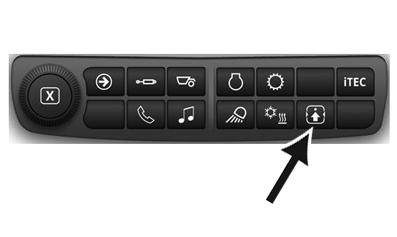
RXA0138550-UN-23JAN14 -
Select Joystick (A).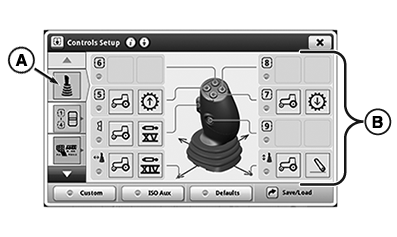
RXA0156213-UN-16DEC16 -
Select desired reconfigurable assignment (B)
-
Select Source (D).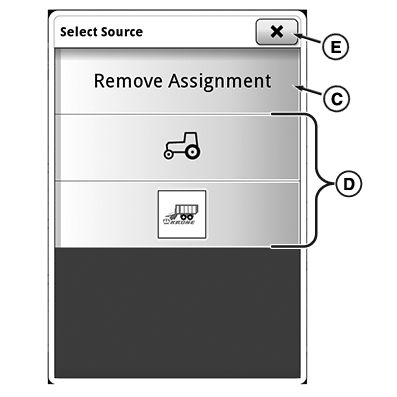
RXA0156214-UN-16DEC16To remove assignment, select Remove Assignment button (C).
To cancel assignment process, selecting close button (E).
-
Select Function (F).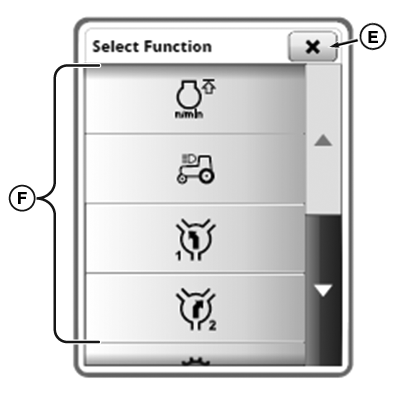
RXA0156215-UN-16DEC16To cancel assignment process, selecting close button (E).
-
Unlock Joystick with Joystick Unlock/Lock button (G).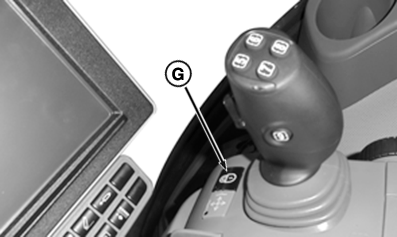
RXA0156242-UN-16DEC16Default assignments will activate automatically.
-
Select custom button (H) button to activate manually set assignments.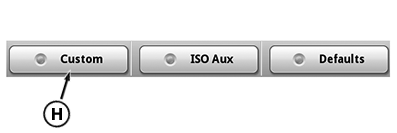
RXA0156241-UN-16DEC16
|
KD34109,00006AB-19-20170811 |