Navigate to Date & Time
-
Select Menu.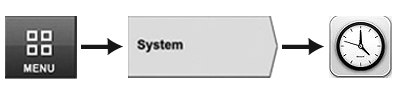
RXA0126215-UN-11JUN12 -
Select System tab.
-
Select Date & Time Icon.
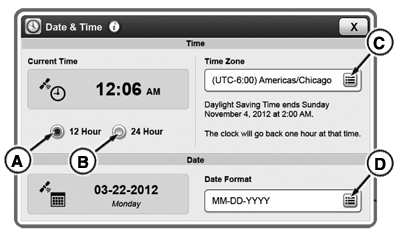
RXA0131038-UN-25FEB13
Date & Time Page with GPS Sync Enabled
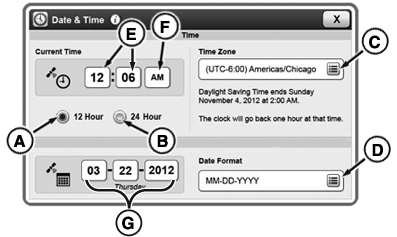
RXA0131113-UN-01MAR13
Date & Time Page with GPS Sync Disabled
A - 12 Hour Time Format Radio Button
B - 24 Hour Time Format Radio Button
C - Time Zone Input Field
D - Date Format Input Field
E - Time Input Boxes
F - AM/PM Input Box
G - Date Input Boxes
|
KT81203,00004A5-19-20170803 |