Change Pages and Values
Various methods are provided to allow selection and modification of CommandCenter™ pages and values.
-
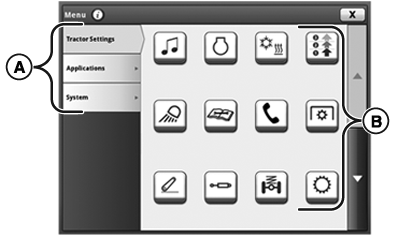
RXA0133414-UN-27JUN13Input Fields
A—Section Tab: To change to different section topic, click desired section tab. - B—Icons: Select to open application.
-
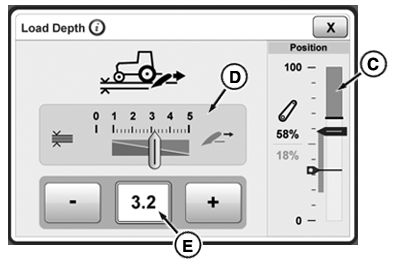
RXA0130123-UN-23APR13Menu
C—Bar Graph: To change value, use increase (+) or decrease (-) buttons. - D—Slider Bar: To change value, select slider bar module and use increase (+) or decrease (-) button.
- E—Input Box: Use increase (+) or decrease (-) buttons to adjust value. To enter new values or text, select desired input box.
When changing values using adjustment dial, increasing speed of adjustment dial rotation increases speed of value changes.
If a large range of values is available a numeric keypad appears, allowing direct input of desired value.
|
CommandCenter is a trademark of Deere & Company |
KT81203,00004A7-19-20170803 |