Sequence Step Status
RXA0131170-UN-05MAR13
RXA0131609-UN-25JUL13
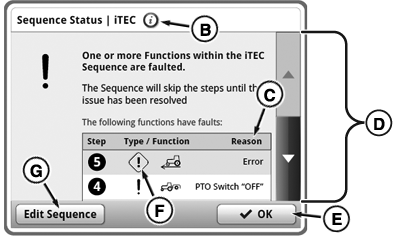
Press Information Button (B) on any iTEC™ page to access a general status page. General status page will list all functions that are part of the sequences of current selected implement.
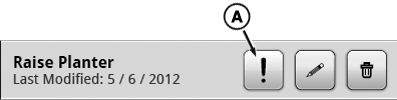
Whenever execution of a sequence step is not possible or is interrupted, iTEC™ system informs operator about new issue by displaying Information Alert (A) or Fault Alert (F) next to the sequence or sequence step. Press Alert Symbol next to the sequence (in assignment area or sequence assignment tab) to access the sequence status page to read steps with errors. Use scroll bars (D) to scroll up and down list. Select edit sequence button (G) if you want to edit a sequence. Press Alert Symbol next to a sequence step (while in EDIT) for information about the issue just for that step. Both views will show a short reason (C) for issue. Press OK button (E) to exit.
|
iTEC is a trademark of Deere & Company |
KT81203,00004DA-19-20170828 |