Sequence Sets Page
From iTEC™ main page, use following steps:
-
Select Manage Sequences button.
RXA0129723-UN-06MAR13 -
Select Sequence Sets tab (A).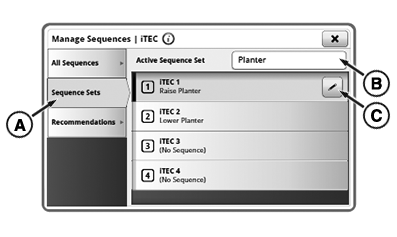
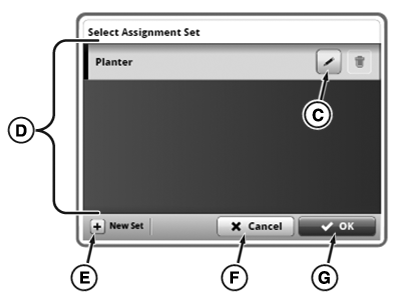
RXA0158311-UN-15MAR17 - If needed, select Active Sequence Set (B) and follow steps 4-6. If not, skip to step 7.
-
RXA0158312-UN-15MAR17
To exit page without saving changes, select Cancel (F) or Close (I) button.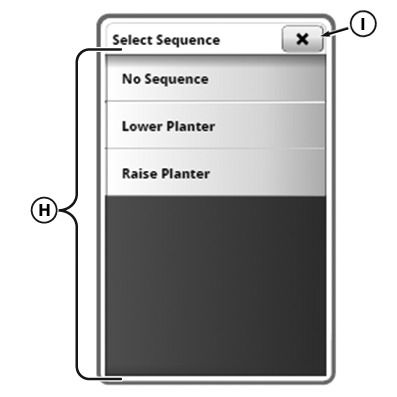
RXA0158313-UN-15MAR17
Select sequence set from Sequence Set list (D). - If needed, select Edit (C) or New Set (E) button.
- Select OK button (G).
- Select desired iTEC™ button to assign.
- Select Edit button (C).
- Select sequence from Sequence list (H).
|
iTEC is a trademark of Deere & Company |
KT81203,00004DD-19-20170901 |