Laser Scraper—for Scrapers Equipped with Scraper Control Unit
Used primarily in areas requiring automated laser guidance system for scraper applications.
RXA0133709-UN-16JUL13
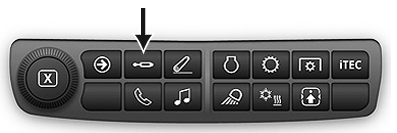
Press SCV shortcut button on Navigation Bar or follow alternative path:
-
Connect tractor to implement.
-
Select Menu.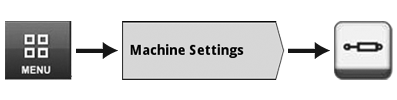
RXA0148320-UN-05JUN15 -
Select Machine Settings tab.
-
Select SCV Button.
-
Select Detent Flow tab (A).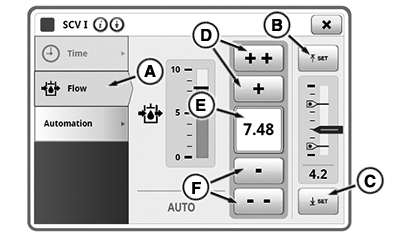
RXA0159782-UN-13JUN17 -
Select Feature SCV Mode.
-
To increase flow press button (D) or to decrease press button (F). Also turning adjusting wheel (I) can be used to obtain desired flow setting. Input box (E) displays actual flow setting.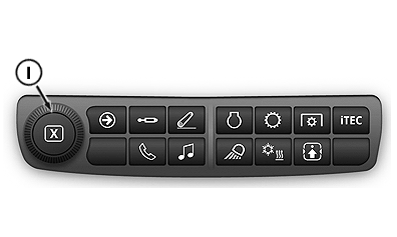
RXA0159784-UN-13JUN17 -
Select Upper Setpoint button (B) to set upper setpoint to current position.
-
Select Lower Setpoint button (C) to set lower setpoint to current position.
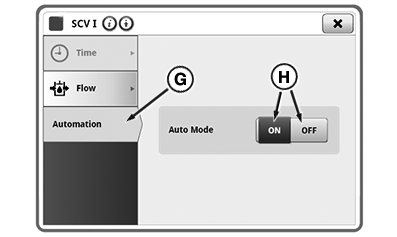
RXA0159783-UN-13JUN17
In Auto Mode, the scraper’s blade position is initiated by moving SCV levers into extend or retract detent positions.
Any movement of the SCV control lever after automation is started will cancel the automation. Moving a SCV control back into detent will reactivate the automation.
 Avoid personal injury
or death. Moving scraper control unit, connectors, or linkages, when
engine is running, may cause unexpected movement. Stay clear of implement
when starting engine.
Avoid personal injury
or death. Moving scraper control unit, connectors, or linkages, when
engine is running, may cause unexpected movement. Stay clear of implement
when starting engine.
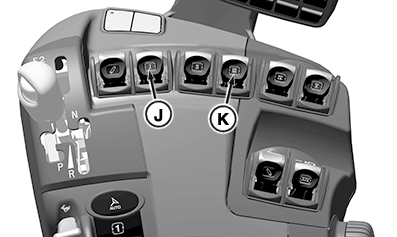
Tractor selective control valves (SCV I and/or SCV III) are used to electronically control raising, lowering, and setting of implement depth, without leaving the cab.
RXA0159786-UN-13JUN17
Control lever (K) is used to manually control SCV III and activate a second automatic scraper control system.
|
RD47322,00002A6-19-20170725 |