Configure SCV Modes
 Avoid unwanted movements and possible accidents. Do
not operate front loaders in conjunction with Intelligent Total Equipment
Control (iTEC™).
Avoid unwanted movements and possible accidents. Do
not operate front loaders in conjunction with Intelligent Total Equipment
Control (iTEC™).
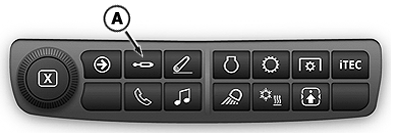
RXA0151873-UN-15APR16
-
Select Menu.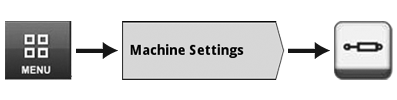
RXA0148320-UN-05JUN15 - Select Machine Settings tab.
- Select SCV icon.
-
SCV Main Page appears.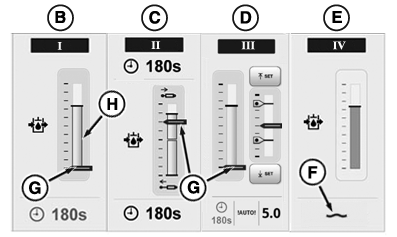
RXA0151890-UN-15APR16
Flow indicators (G) on SCV Main Page example are shown for reference only. Flow Indicators will appear while SCV is activated and hydraulic oil is flowing. Flow display (H) appears whenever SCV is activated and hydraulic oil is flowing.
Each SCV can be configured in one of three different operating modes:
- Standard mode - SCV I (B)
- Independent mode - SCV II (C)
- Feature mode - SCV III (D)
Float symbol (F) appears when an SCV is set to float (SCV IV (E)).
|
TS36762,00001EB-19-20170623 |