SCV Control Lever—Float Position
RXA0151815-UN-13APR16
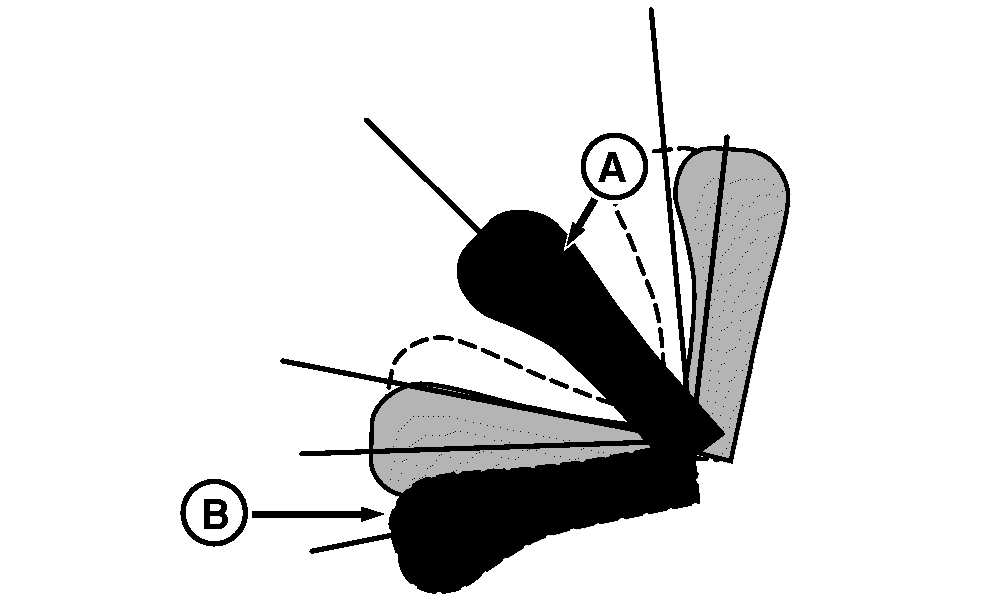
Push SCV control lever (A) all the way forward (B) to lock
the lever in float position. Lever and SCV remain in float position
until lever is manually returned to neutral. Cylinder is free to extend
or retract, letting implement follow ground contour. Set maximum desired
flow rate with CommandCenter™. See Configure SCV – Standard Mode or
Configure SCV – Independent Mode in this section of this Operator’s
Manual. Time detent setting is not active in float positions
RXA0131855-UN-19AUG13
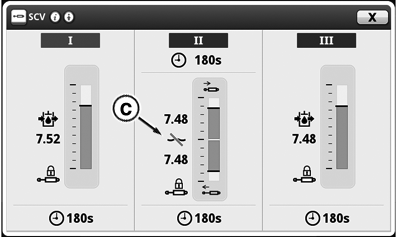
If lever is in float position at engine start up, float function
will be disabled (C) until lever is cycled to neutral.
Cycle cylinder fully in both directions after being used in
the float position to ensure cylinder is filled with oil.
|
|
TS36762,00001F6-19-20161121
|
|