Checking and Adjusting Park Brake Lever1. Start tractor engine. (See procedure in Operating the Engine section.)2. Move park brake lever to unlocked position (down). 3. Pull up on park brake lever (A) until a second "click" is heard. Park brake indicator on instrument panel should light. 4. If indicator does not light, stop the tractor engine. (See procedure in Operating the Engine section.)
|
|
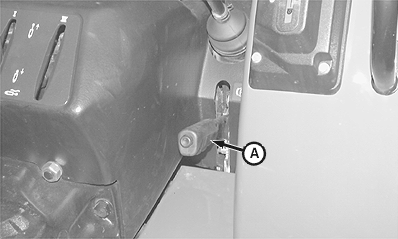
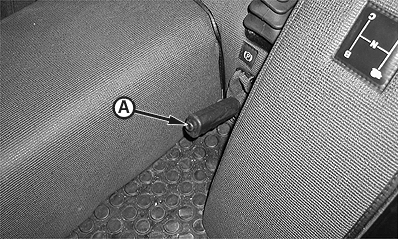
AG,OUO1043,297 -19-19JUN00-1/2 |
|
NOTE: Open Station: Left-hand wheel and fender removed for clarity of photo. Cab: Left-hand wheel and access panel removed for clarity of photo. 5. Install blocks in front of and behind tractor wheels. 6. Move park brake to unlocked position (down). 7. Loosen jam nut (A). 8. Remove clip pin (B) to disconnect yoke (D) from lever (C). 9. With lever (C) in rearward position, rotate yoke (D) until hole in yoke aligns with bottom hole in lever. 10. Install clip pin and perform steps 1-3. If park brake does not engage, see your John Deere dealer. 11. Tighten jam nut.
|
|
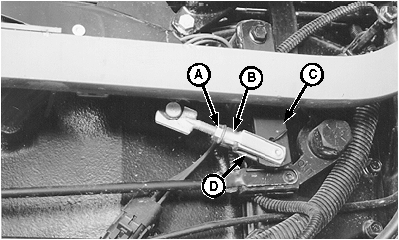
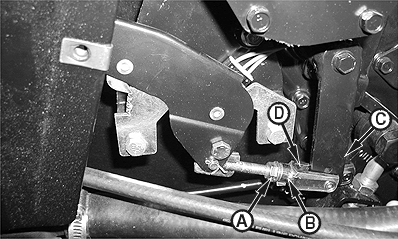
AG,OUO1043,297 -19-19JUN00-2/2 |