Viewing Active Engine Service Codes/Diagnostic Trouble Codes (DTCs)
RG11170-UN-02NOV00
Viewing Active Service Codes/Diagnostic Trouble Codes (DTCs)
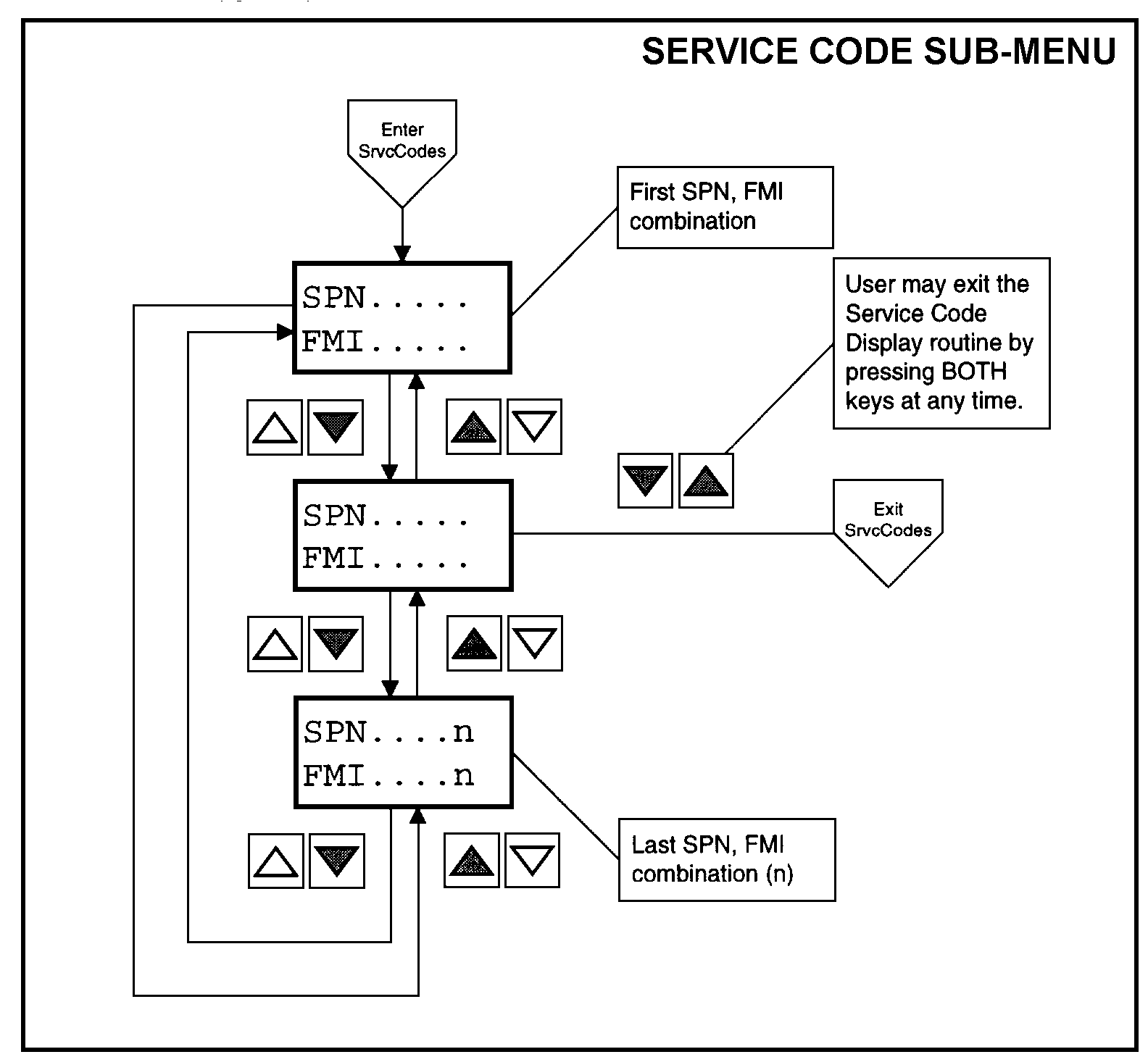
The diagnostic gauge continuously monitors all messages broadcast over the Control Area Network (CAN) and displays all active service codes /diagnostic trouble codes (DTCs) at the time the message is broadcast. The word “SrvcCode” is displayed on the second line. The display will cycle every 5 seconds between the currently displayed parameter and the “SrvcCode” message until the active service code (DTC) clears. To view the active codes, select the Service Code Sub-Menu by pressing the UP or DOWN switch until the top line of the display reads “SrvcCode”. Then press BOTH the UP and DOWN switches at the same time to select the Service Code (DTC) Sub-Menu. The diagnostic gauge has the ability to display all active service codes (DTCs) received. The diagram above titled Service Code (DTC) Sub-Menu shows the process for selecting active service codes (DTCs) and their values.
NOTE: For a list of Service Codes or Diagnostic Trouble Codes (DTCs) and their causes, refer to TROUBLESHOOTING Section 45, later in this manual. An alternate method of accessing trouble codes for engines for engines without the diagnostic gauge is the blink code method. See Section 45.
|
DPSG,OUOD002,1928-19-20060727 |