Accessing Stored Trouble Codes
NOTE: The engine does not need to be running to navigate the diagnostic gauge screens. If engine start up is desired, See Starting The Engine. All of the engine values illustrated on the diagnostic gauge indicate the engine is running.
For description of trouble codes, see chart in Troubleshooting Section.
-
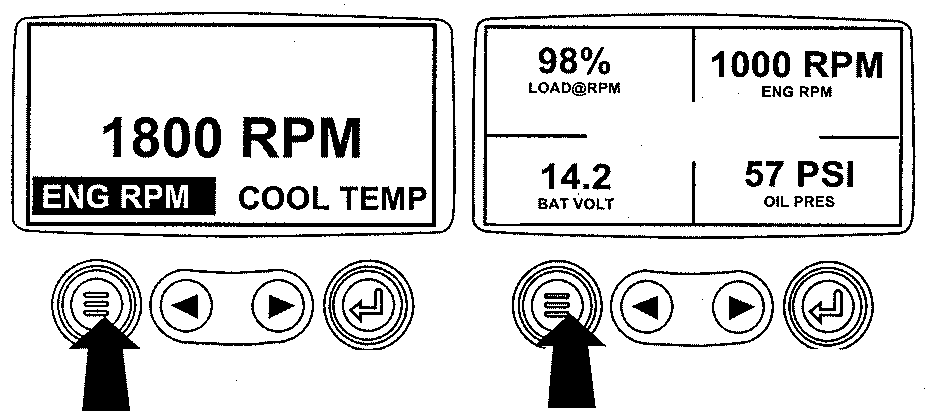
RG13159-UN-26SEP03Menu Key
Turn the key switch to the ON position. Starting at the single or four engine parameter display, press the "Menu" key. -
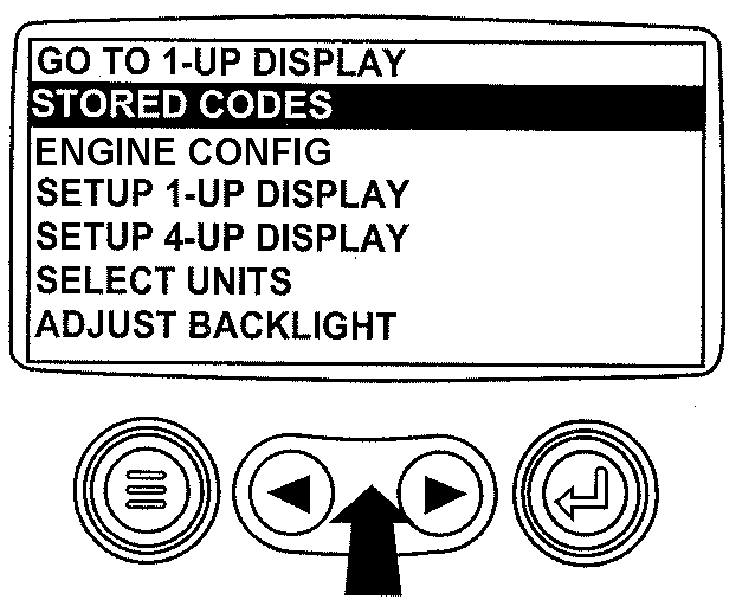
RG13168-UN-02OCT03Select Stored Codes
The main menu will be displayed. Use the "Arrow" keys to scroll through the menu until "Stored Codes" is highlighted. -
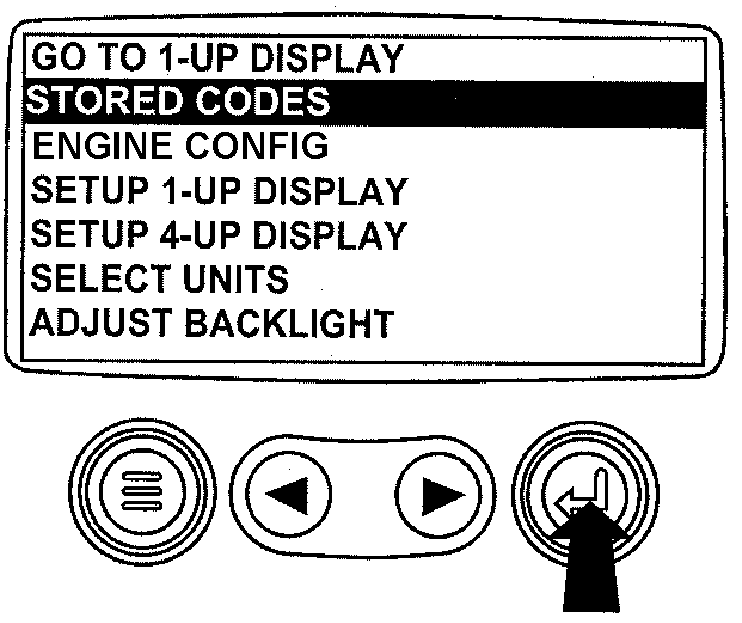
RG13169-UN-02OCT03Enter Key
Once the "Stored Codes" menu item has been highlighted press the "Enter" key to view the stored codes. -
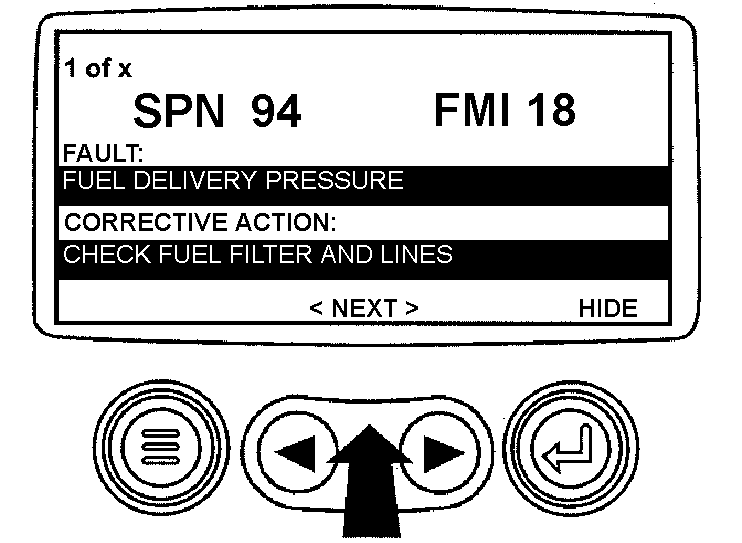
RG13245-UN-02OCT03Use Arrow Keys To Scroll
If the word "Next" appears above the "Arrow" keys, there are more stored codes that may be viewed. Use the "Arrow" key to scroll to the next stored code. -
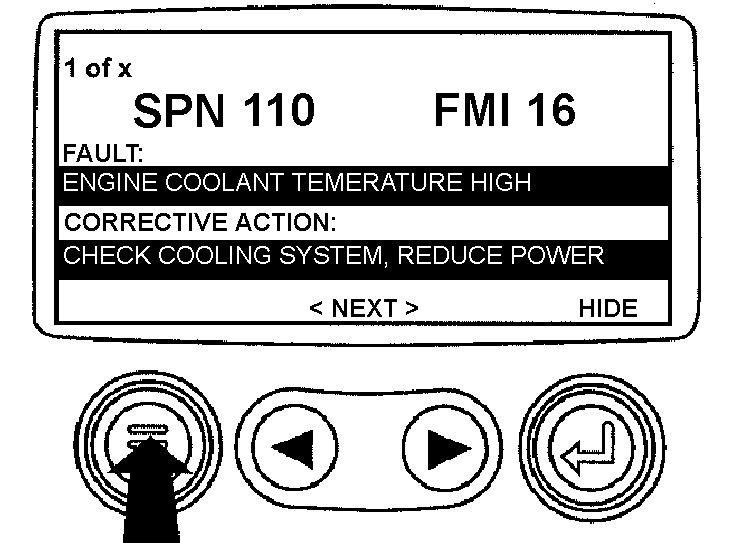
RG13246-UN-02OCT03Return To Main Menu
Press the "Menu" key to return to the main menu. -
RG13159-UN-26SEP03Exit Main Menu
Press the "Menu" key to exit the main menu and return to the engine parameter display.
|
OURGP11,00000AC-19-20060727 |