Display Features
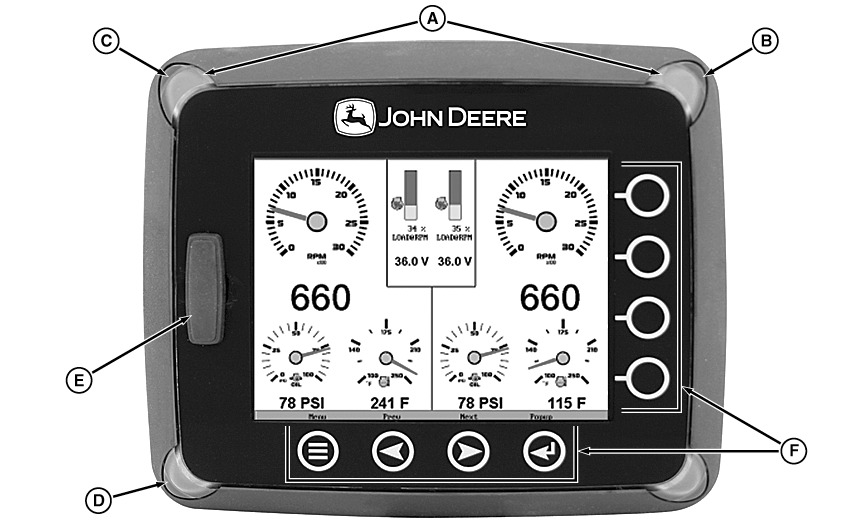
RG17597-UN-08SEP09
A - Fault Lights
B - Amber Warning
C - Red Error
D - Keypad Indicator
E - SD Card Slot and Cap
F - Navigation Buttons
Fault Lights These indicators, located in the top two corners of the unit, will light up when a fault occurs. The unit will display an amber light for a warning or a red light for a shutdown condition. A corresponding pop-up message describing the fault may also be displayed on the screen.
Keypad Indicator Light Located on the bottom left of the unit, the keypad indicator lights up each time one of the touch capacitive buttons is pressed.
SD Card Slot This slot is used for reprogramming the unit. It should remain covered to keep out water, dust, and other contaminants.
NOTE: For complete installation and wiring instructions, refer to the “HelmView Installation Manual” included with your display.
|
JR74534,00002BB-19-20090923 |