Navigation
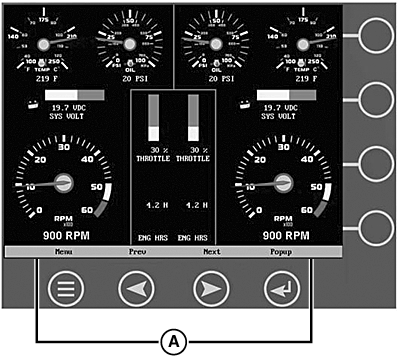
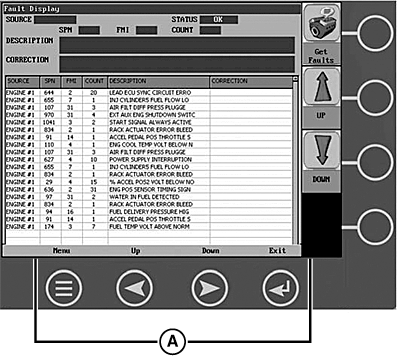
Navigating the display is accomplished using two sets of buttons - one fixed and one virtual - to access menus, pop-ups, and make selections from available options. Each time a button is pressed, confirmation of the button press is given by the amber light at the lower left corner of the display.
RG17598-UN-08SEP09
RG17599-UN-08SEP09
A - Fixed Buttons
Fixed Buttons
The fixed buttons
run across the bottom of the display for Menu, Prev, Next,
and Select. On some screens, Select may be replaced by other options such as Save, Exit, or Popup. Prev and Next may also be represented as Up and Down.
RG17600-UN-08SEP09
RG17601-UN-08SEP09
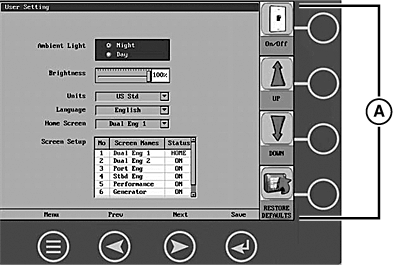
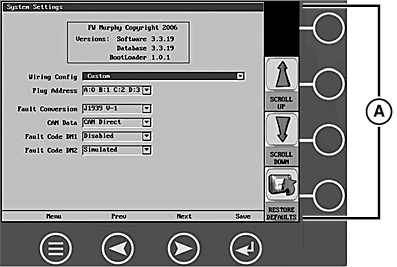
A - Virtual Buttons
Virtual Buttons
A column
of vertical buttons located to the right of the display are virtual
buttons. They will change according to the options available for the
screen being displayed.
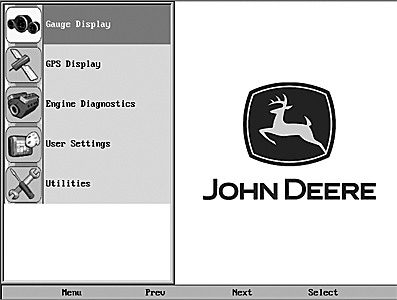
RG17602-UN-08SEP09
RG17669-UN-23SEP09
Menu Button Symbol
Menu
The Menu can be accessed at any time, from any screen being displayed,
by pressing the Menu button. The Menu button symbol is always located in the first
position of the fixed buttons.
RG17603-UN-08SEP09
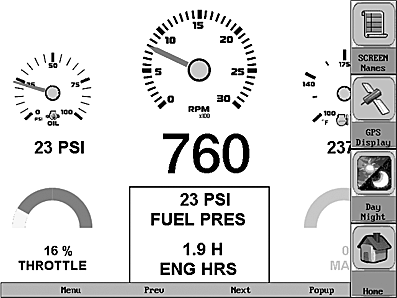
Popup commands
The Popup
button utilizes the virtual keys to the right of the display to provide
shortcuts for navigation and display options.
|
JR74534,00002BC-19-20090923 |