Adjusting Contrast
-
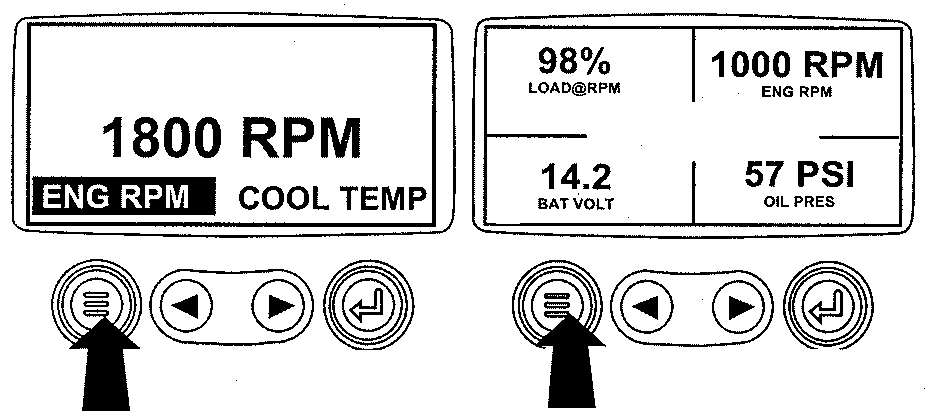
RG13159-UN-26SEP03Menu Key
Turn the key switch to the ON position. Starting at the single or four engine parameter display press the "Menu" key. -
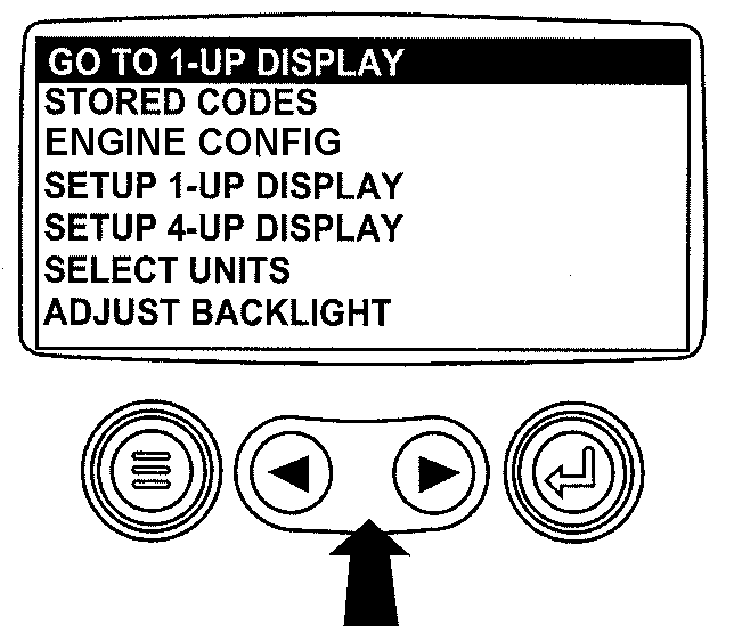
RG13161-UN-02OCT03Select Adjust Contrast
The main menu will be displayed. Use the "Arrow" keys to scroll through the menu until "Adjust Contrast" is highlighted. -
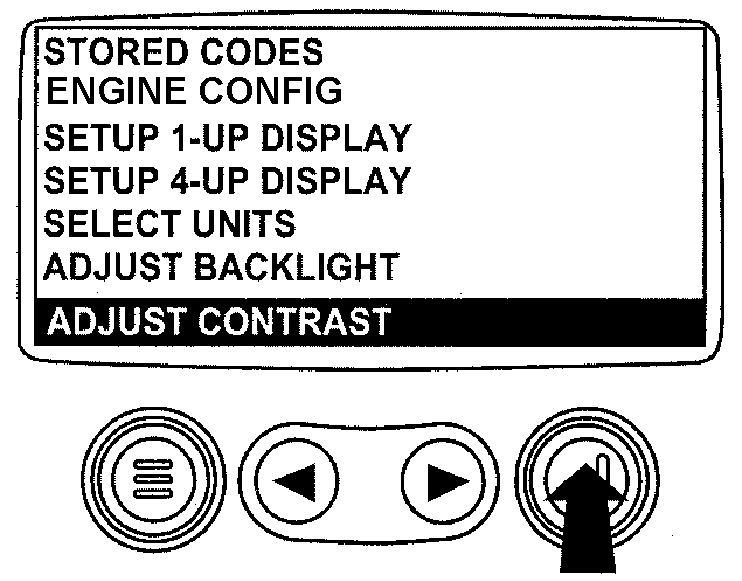
RG13185-UN-02OCT03Press Enter Key
Once the "Adjust Contrast" menu item has been highlighted, press the "Enter" key to activate the "Adjust Contrast" function. -
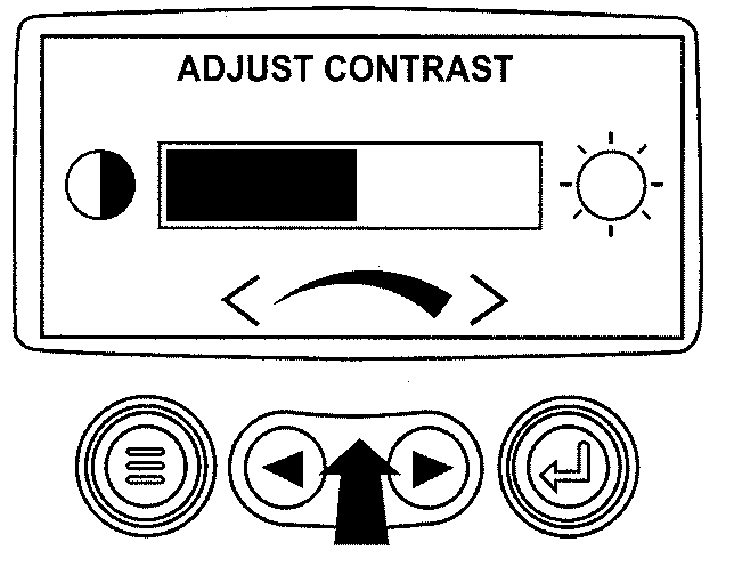
RG13186-UN-29SEP03Adjust Contrast Intensity
Use the "Arrow" keys to select the desired contrast intensity. -
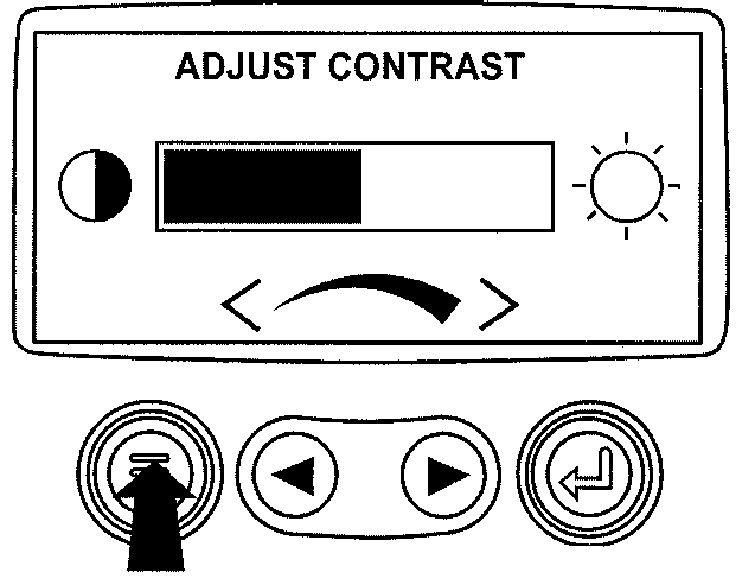
RG13187-UN-26SEP03Return To Main Menu
Press the "Menu" key to return to the main menu. -
RG13159-UN-26SEP03Exit Main Menu
Press the "Menu" key to exit the main menu and return to the engine parameter display.
|
OURGP11,00000AF-19-20131113 |