Setup 4-Up Display
-
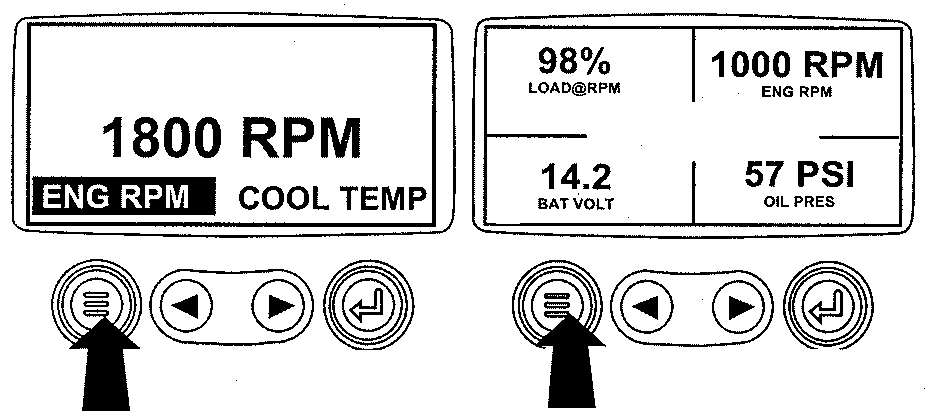
RG13159-UN-26SEP03Menu Key
Turn the key switch to the ON position. From the single or four engine parameter display, press the "Menu" key. -
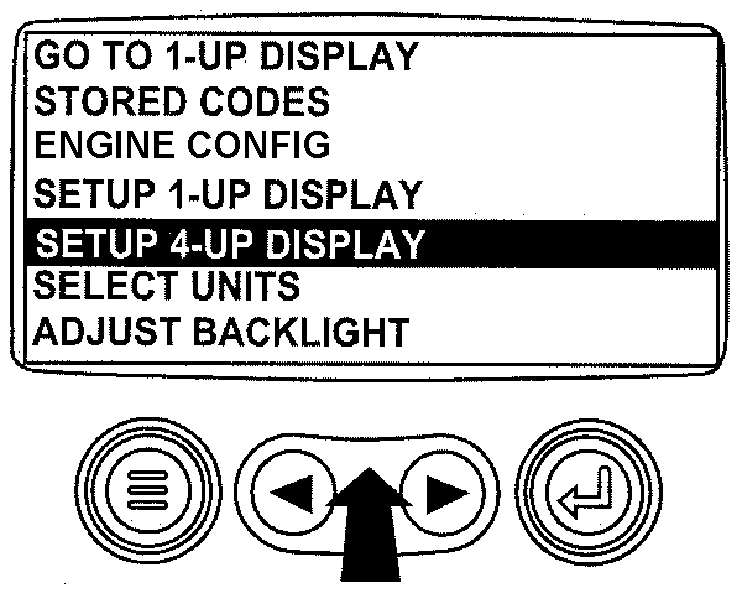
RG13225-UN-02OCT03Select Setup 4-Up Display
The main menu will be displayed. Use the "Arrow" keys to scroll through the menu until "Setup 4-Up Display" is highlighted. -
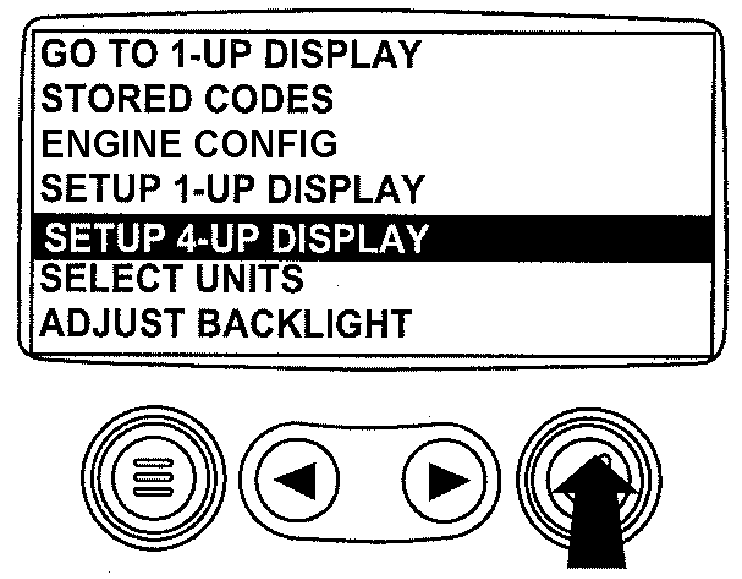
RG13226-UN-02OCT03Press Enter Key
Once the "Setup 4-Up Display" menu item has been highlighted, press the "Enter" key to activate the "Setup 4-Up Display" menu. -
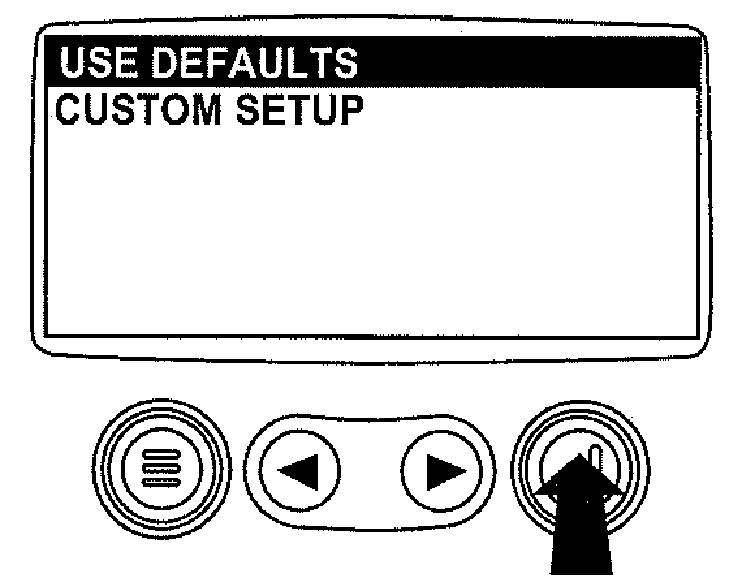
RG13244-UN-02OCT03Select Factory Defaults
Two options are available for the 4-Up Display.-
Use Defaults – This option contains the following engine parameters for display: Engine Speed, Battery Voltage, Coolant Temperature and Oil Pressure.
-
Custom Setup – This option contains a list of engine parameters. Engine parameters from this list can be selected to replace any or all of the default parameters.
-
-
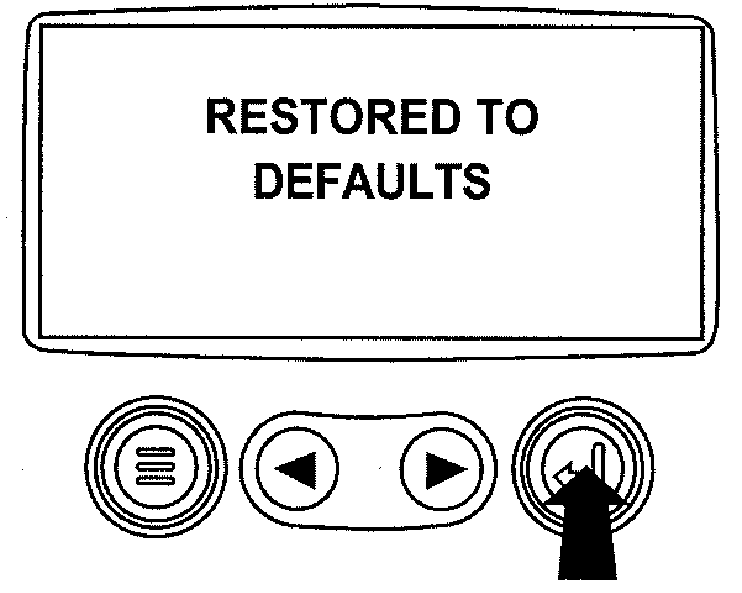
RG13149-UN-24SEP03Restored To Defaults
To reset the display parameters to the factory defaults, scroll to and highlight "Use Defaults". Press the "Enter" key to activate the "Use Defaults" function. A message indicating the display parameters are reset to the factory defaults will be displayed, then the display will return to the "Setup 4-Up Display" menu. -
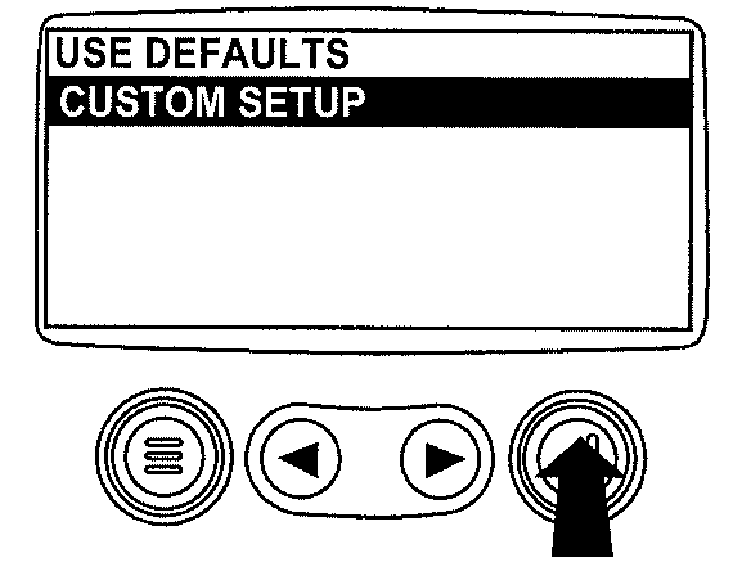
RG13227-UN-26SEP03Custom Setup
Custom Setup - To perform a custom setup of the 4-Up Display, use the arrow buttons to scroll to and highlight "Custom Setup" on the display. -
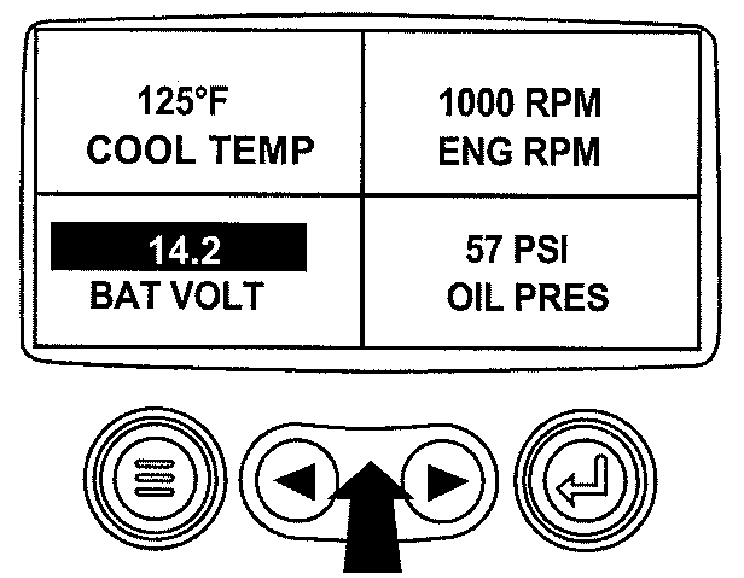
RG13228-UN-26SEP03Select Parameters
The quadrant with the highlighted parameter value is the current selected parameter. Use the "Arrow" keys to highlight the value in the quadrant you wish to change to a new parameter. -
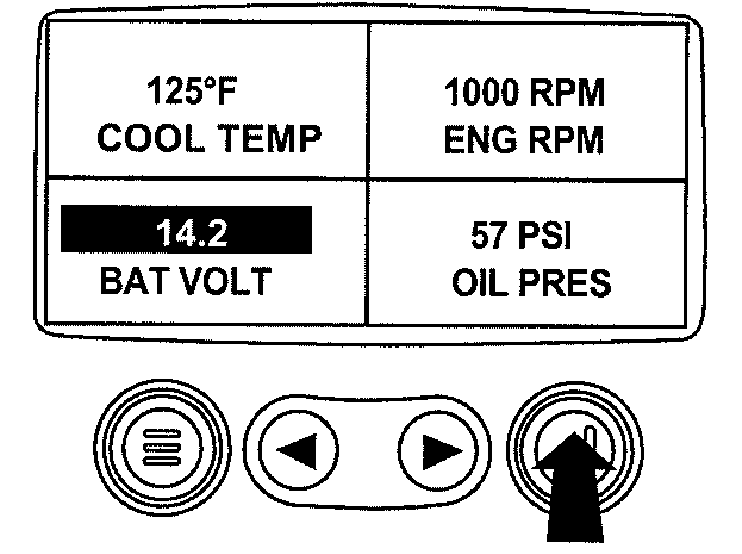
RG13229-UN-26SEP03List Of Engine Parameters
Press the "Enter" key and a list of engine parameters will be displayed. -
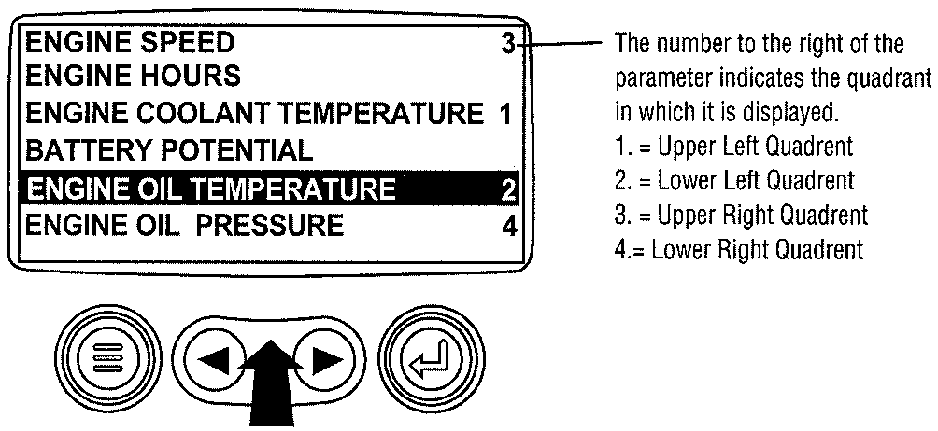
RG13230-UN-26SEP03Select Desired Engine Parameter
The parameter that is highlighted is the selected parameter for the screen. Use the "arrow" keys to highlight the new parameter to be placed in the "4-Up Display". -
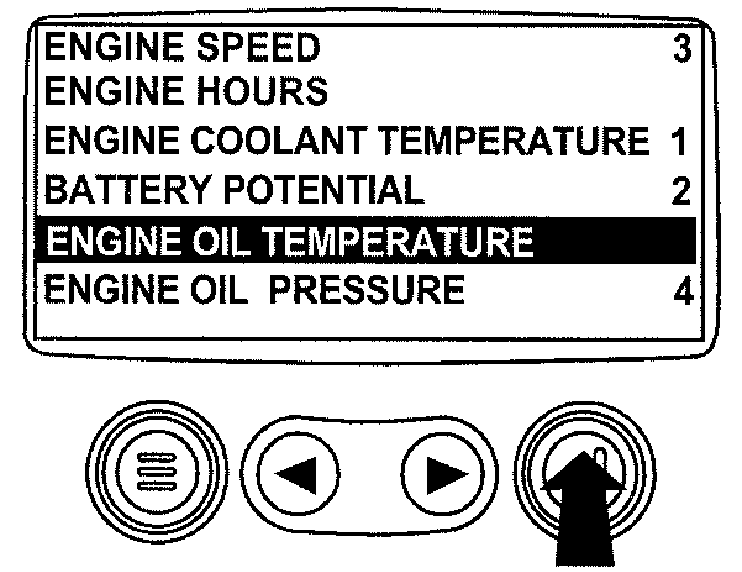
RG13231-UN-26SEP03Enter Selected Parameter
Press the "Enter" key to change the selected parameter in the quadrant to the new parameter. -
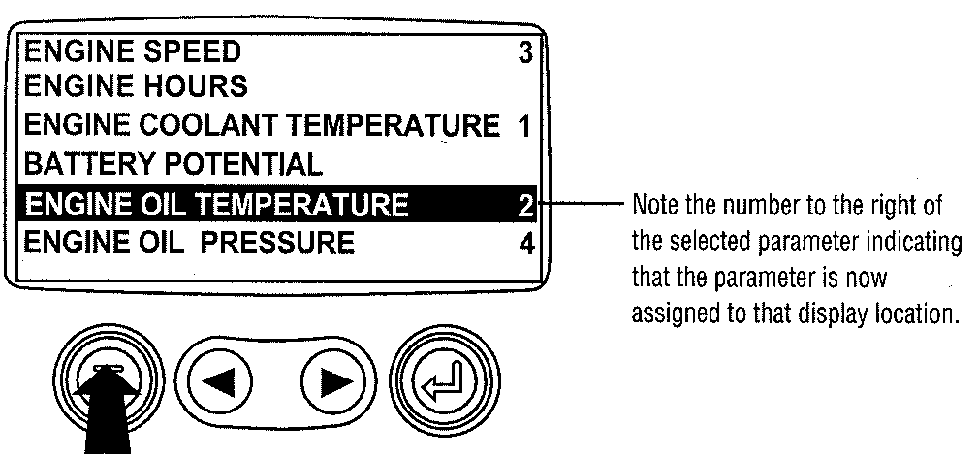
RG13232-UN-26SEP03Return To 4-Up Custom Setup
Use the "Menu" keys to return to the "4-Up Custom Setup" screen. -
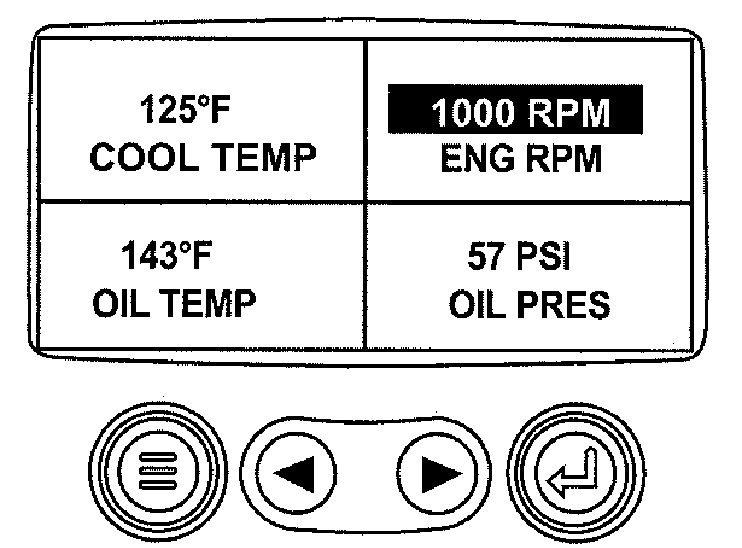
RG13153-UN-24SEP034-Up Display
The selected quadrant has now changed to the new selected parameter. -
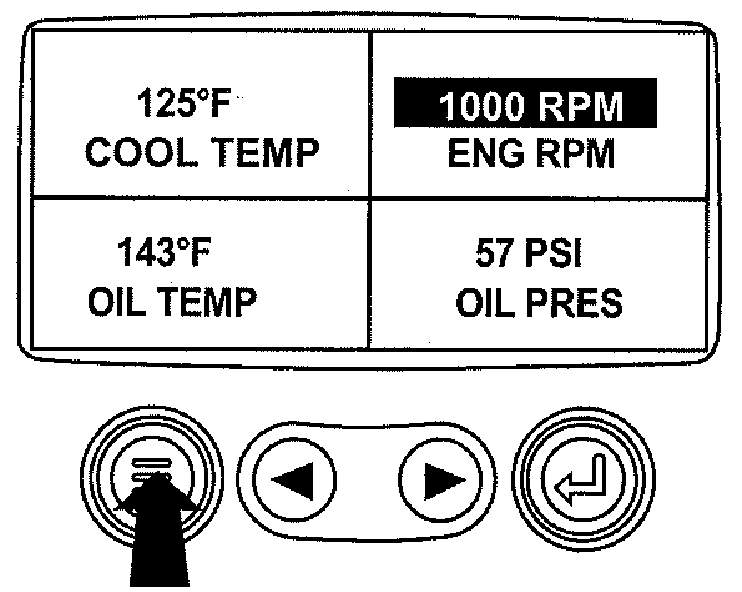
RG13154-UN-24SEP03Return To Main Menu
Repeat the parameter selection process until all spaces are as desired. -
Press the "Menu" key to return to the main menu.
-
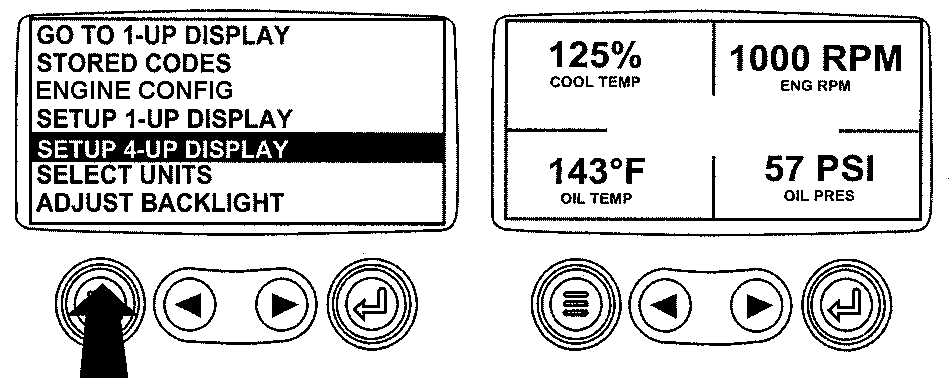
RG13155-UN-07OCT03Select Remaining Parameters
Press the "Menu" key to exit the main menu and return to the engine parameter display.
|
OURGP11,00000B2-19-20131113 |