Accessing Active Trouble Codes
NOTE: The engine does not need to be running to navigate the diagnostic gauge screens. If engine start up is desired, See Starting The Engine. All of the engine values illustrated on the diagnostic gauge indicate the engine is running.
For description of trouble codes, see chart in Troubleshooting Section.
-
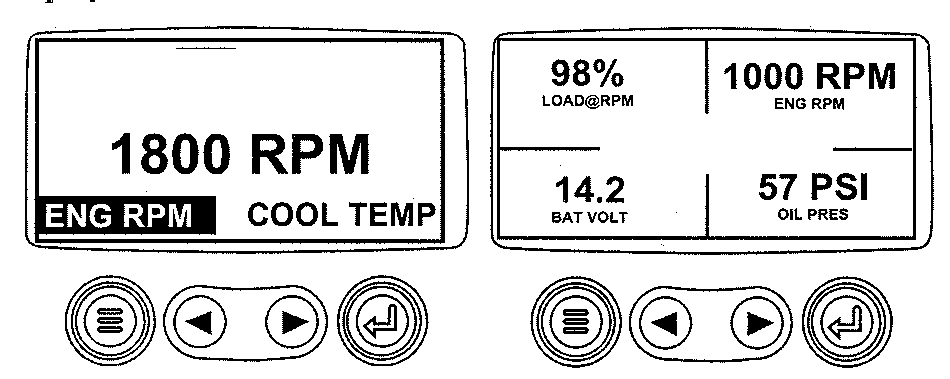
RG13172-UN-26SEP03Normal Operation
During normal operation the single or four parameter screen will be displayed. -
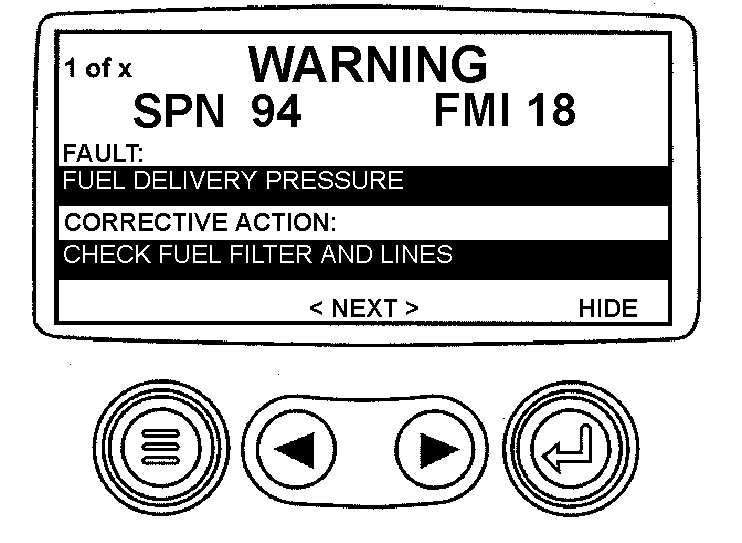
RG13240-UN-30SEP03Active Trouble Codes Displayed
When the diagnostic gauge receives a trouble code from an engine control unit, the single or four parameter screen will be replaced with the "Warning" message. The SPN and FMI number will be displayed along with a description of the problem and the corrective action needed.IMPORTANT: Ignoring active trouble codes can result in severe engine damage.
-
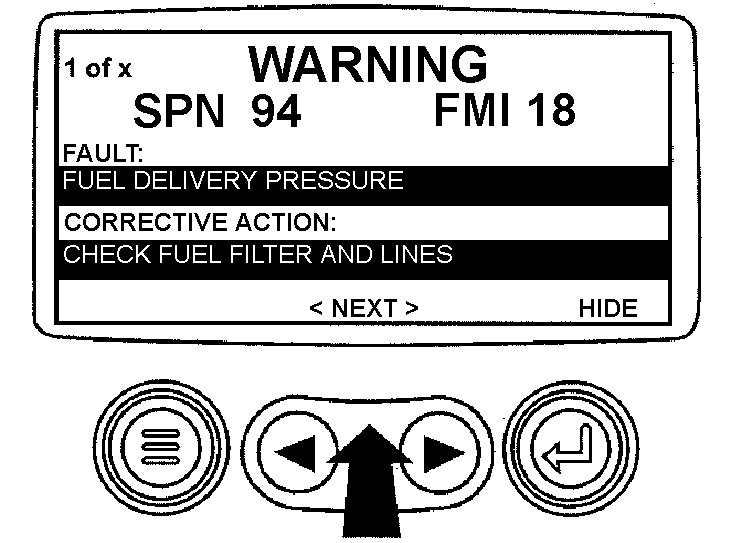
RG13241-UN-30SEP03Use Arrow Keys To Scroll
If the word "Next" appears above the arrow keys, there are more trouble codes that can be viewed by using the arrow keys to scroll to the next trouble code. -
IMPORTANT: Ignoring active trouble codes can result in severe engine damage.
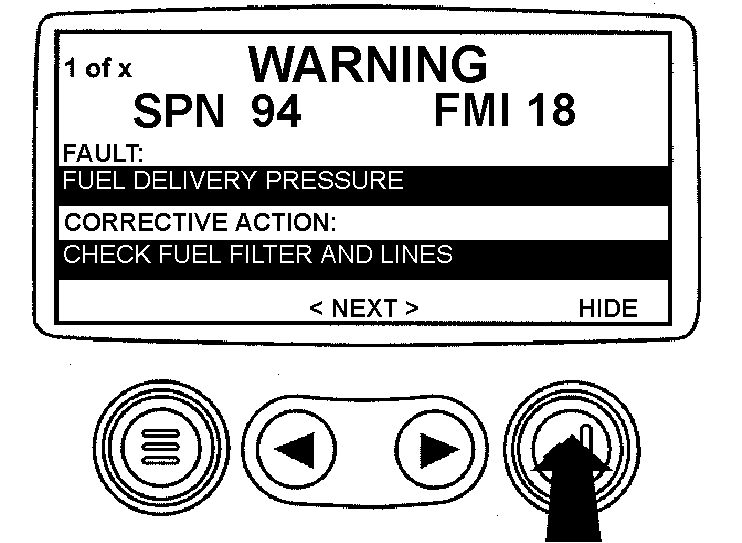
RG13242-UN-30SEP03Hide Trouble Codes
To acknowledge and hide the code and return to the single or four parameter display, press the "Enter" Key. -
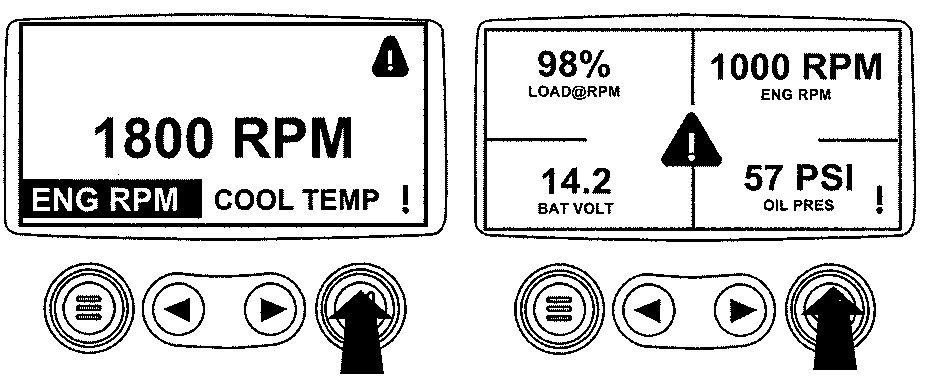
RG13176-UN-26SEP03Active Trouble Code Icon
The display will return to the single or four parameter display, but the display will contain the warning icon. Pressing the "Enter" key will redisplay the hidden trouble code. -
IMPORTANT: Ignoring active trouble codes can result in severe engine damage.
RG13242-UN-30SEP03Enter Key
Pressing the "Enter" key once again will hide the trouble code and return the screen to the single or four parameter display. -
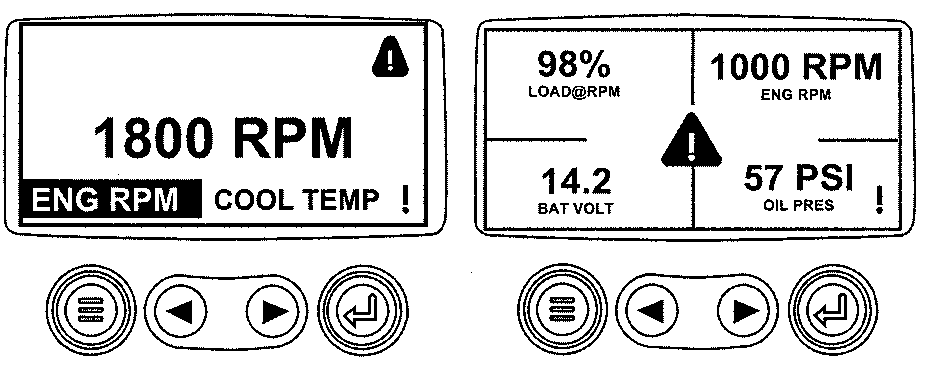
RG13243-UN-01OCT03Active Trouble Code Condition
The single or four parameter screen will display the warning icon until the trouble code condition is corrected.
|
OURGP11,00000AD-19-20160527 |