JDLink App Installation Procedure
NOTE: JDLink App is available on Deere India website https://www.deere.co.in/en/tractors/
-
Open the Deere India website and find the JDLink Mobile App download option on the screen.
APY23016-UN-02AUG19 -
Click the Download JDLink Mobile App button, it triggers a popup. Click OK to proceed.
-
APY23017-UN-02AUG19
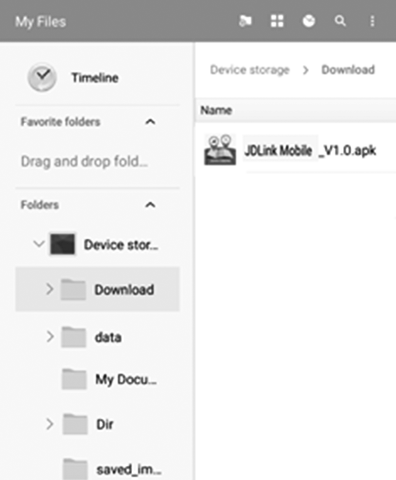
JDLink App file gets downloaded into the download folder of phone memory.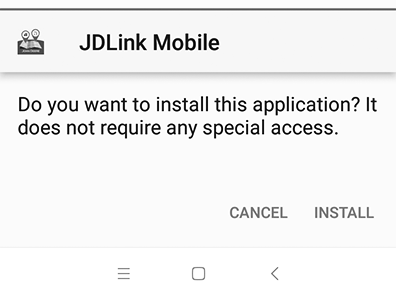
APY23018-UN-02AUG19 -
Click the JDLink App file. It triggers the installation, click Install to proceed.
-
APY23019-UN-02AUG19
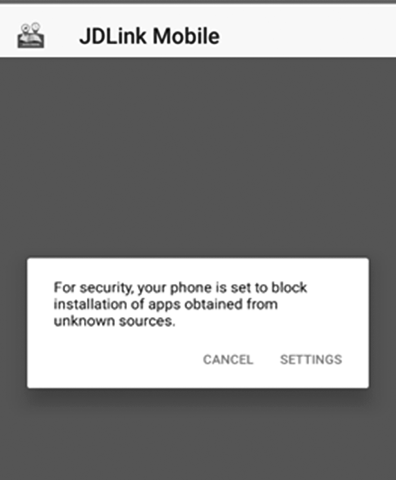
Another popup may follow as shown. Go to the Setting menu and provide necessary permissions to install the app from unknown sources.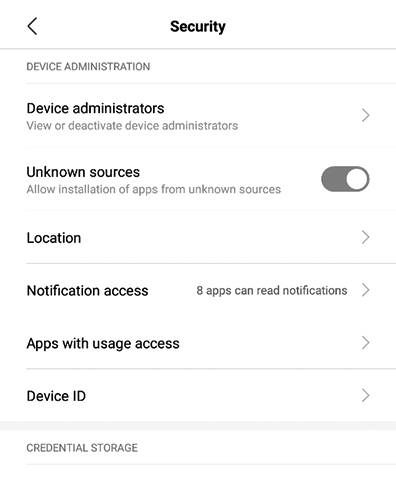
APY23006-UN-24JUL19- Mobiles with Android 8 and higher, customers have to navigate to Install unknown Apps system settings screen to enable app installations from their mobile phone memory .
- Mobiles with Android 7.1.1 or lower, customers enable unknown sources system settings found in settings > security in their mobile phones.
-
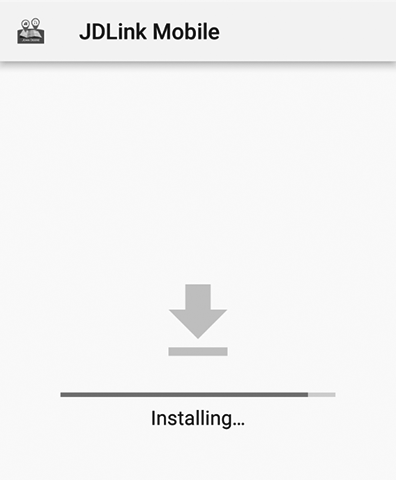
APY23020-UN-02AUG19
After providing the installation permissions, the App is installed in the mobile phone and is ready to use.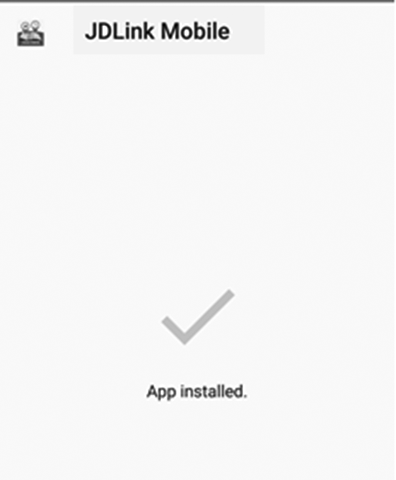
APY23021-UN-02AUG19 -
Open the app. On the main app screen, click the Help menu.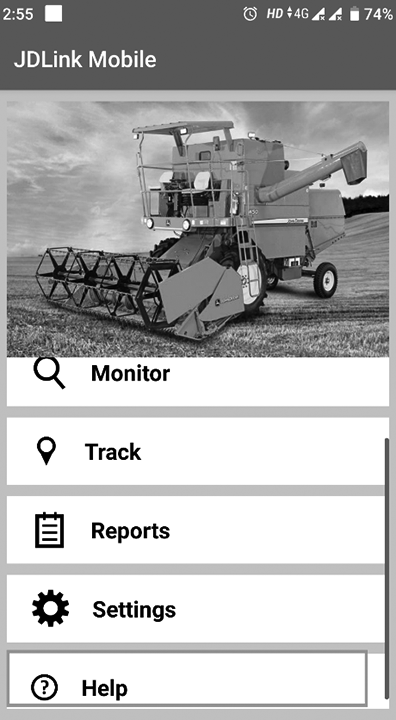
APY23022-UN-02AUG19 -
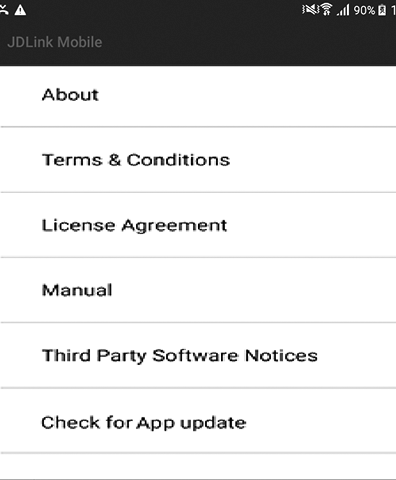
APY23023-UN-02AUG19
Click Check for JDLink App update, a pop-up window opens which shows options to Check Now for the App update and a drop-down menu to Set Recurrence for checking the app updates. The recurrence can be set any day of the week and accordingly the App checks for the updates once a week.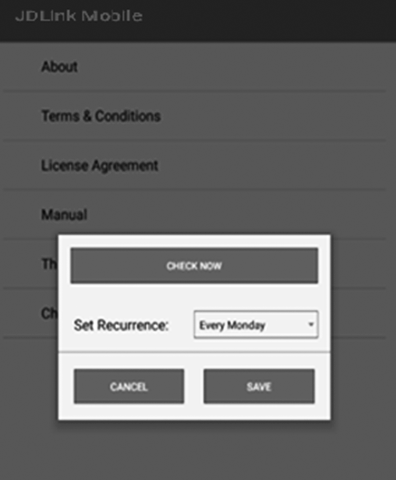
APY23024-UN-02AUG19 -
Click Check Now and app starts checking for updates.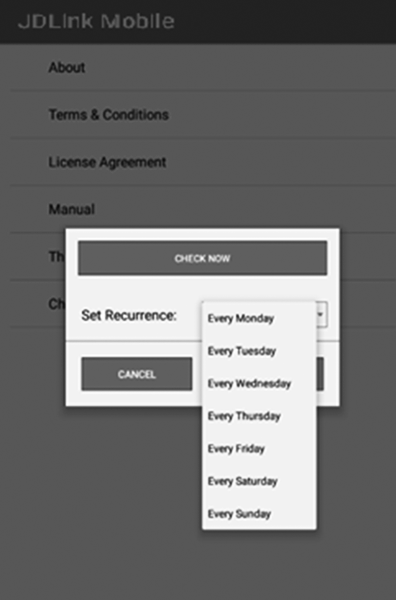
APY23025-UN-02AUG19 -
Depending on App update recurrence set earlier, the App checks for updates when the customer opens the App. This requires an active internet connection in form of WIFI or mobile internet.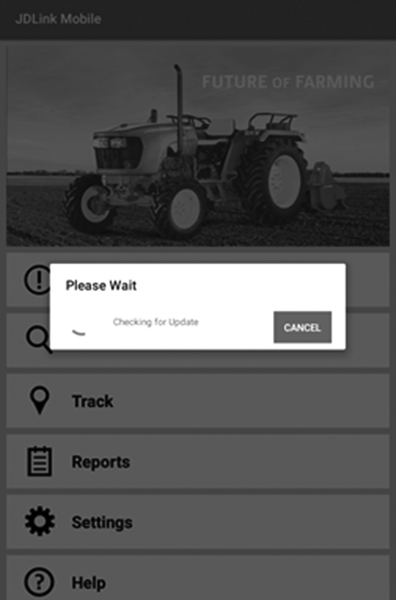
APY23026-UN-02AUG19 -
If a newer version is available, then a dialog box appears with details of newer app version available. Click Download button to download the updated app file and follow the same procedure for installation as mentioned.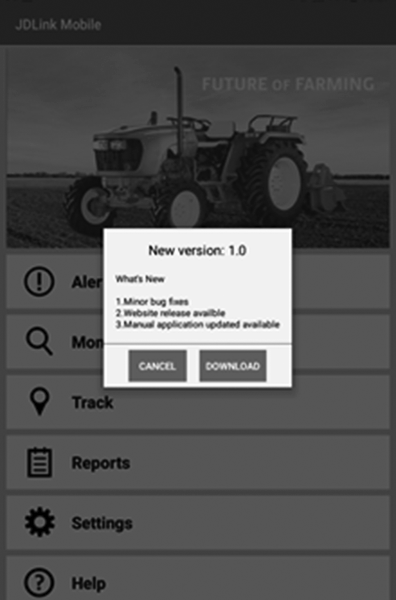
APY23027-UN-02AUG19
|
HK75640,0000545-19-20190802 |