Roll Mode Switch (If Equipped)
PY42557-UN-31JUL17
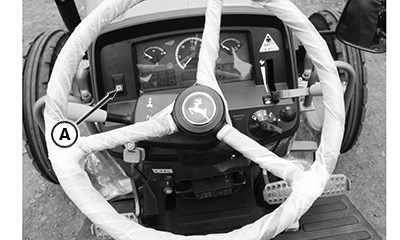
A - Roll Mode Switch
Press roll mode switch (A) to go from one menu to another menu in the information display board and press and hold trip switch (A) in any of the required menu to set its value to zero at LCD display.
Listed menus displays to trip subsequently to set their values.
- Engine Hour
- Job Timer
- Acre Trip
- Acre Cumulative
- Speed
- Service Timer
- Battery Voltage
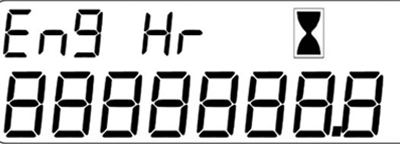
Engine Hour
PY27404-UN-24NOV15
Hour meter is the first menu to display. Steady hourglass indicates that the engine is OFF. Blinking hourglass indicates that Engine is ON and has started accumulating /counting the hours.
NOTE: Hour glass reading cannot be reset.
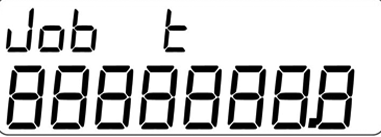
Job Timer
PY27405-UN-24NOV15
Pressing the roll mode switch two times the display shows the job timer menu. Job timer is the digital time counter which can be used to calculate specific time of the job while renting
To reset the job timer press and hold while on the job timer menu and hold the switch until counter sets to zero value.
IMPORTANT: To reset the job timer it is necessary to keep key switch ‘ON’ position.
Acre Trip
PY27406-UN-24NOV15
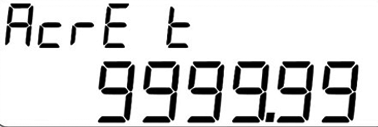
Pressing the roll mode switch three times the display shows the acre trip menu. Acre trip is use for in area for calculate the area of particular field. Acreage meter is a unique tool to measure the field area in acres.
IMPORTANT: Before starting the acre trip counter, ensure that key switch is in ‘ON’ position and telematics device acquired the GPS signal. Refer the trouble shooting section for checking GPS signal of the telematics device.
Procedure to be measurement of acre trip
- Key switch ‘ON’.
- Go to Acre trip menu through roll mode switch.
-
Press and hold the switch until acre trip starts blinking.
NOTE: To stop measurement, again press and hold until acre trip
stops blinking.
-
Tractor drive through the field in desired area.
NOTE: To stop measurement, again press and hold until acre trip
stops blinking.
- Wait until bottom row value of the LCD display stabilize.
- Stabilized value on bottom row shows the measured area.
Acre cumulative
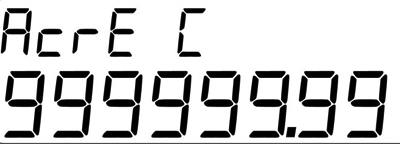
PY27407-UN-24NOV15
Pressing the roll mode switch four times the display shows the Acre cumulative menu. Acre trip is use for total number of acer’s counts till date.
NOTE: Acre cumulative cannot be reset.
Speed
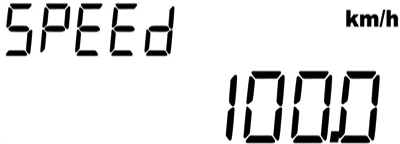
PY27408-UN-24NOV15
Pressing the roll mode switch five times the display shows the speed menu. Speed menu shows the current speed of the tractor.
NOTE: - The speed calculated is based on GPS measurement. When GPS signal is not found then shows “NO GPS”.
Service Timer
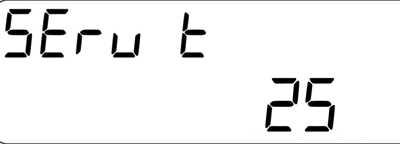
PY27409-UN-24NOV15
Pressing the roll mode switch six times the display shows the Service timer menu. Service times shows the service due time in hours.
NOTE: The first service interval is set to 100 hours default.
Battery Voltage
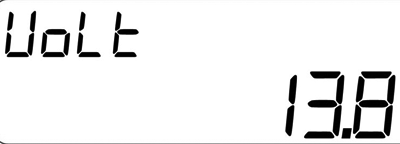
PY27410-UN-24NOV15
Pressing the roll mode switch seven times the display shows the Service timer menu. Indicates the battery voltage at the given instance.
|
SJ15074,0000352-19-20171227 |