Diagnostic Address (DA) Mode
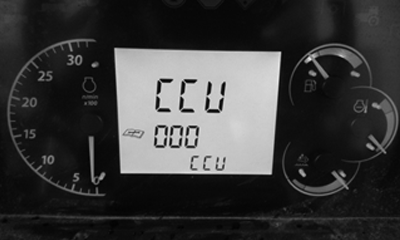
CPA0002822-UN-31MAY16
Address Menu
CPA0002823-UN-31MAY16
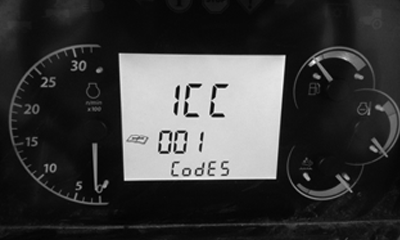
Address 001 - Codes
CPA0002824-UN-31MAY16
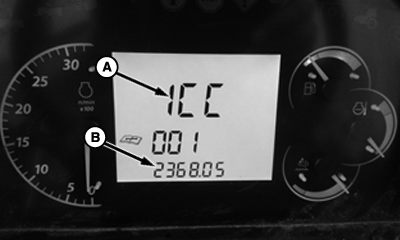
Diagnostic Trouble Codes
CPA0002825-UN-31MAY16
Diagnostic Addresses
NOTE: See On-Board Diagnostic Tool page for directions to enter DA mode.
|
DISPLAY |
DESCRIPTION |
|---|---|
|
A - Control Unit |
CCU, ECU, EIC, ICC, and PTR |
|
B - DTC |
Record code XXXXXX.XX and contact John Deere™ dealer. |
|
CLR? |
CLEAR command. To clear DTC, press roll mode switch. |
|
DONE |
Deletion of DTC is done. |
-
Press roll mode switch to select and enter Diagnostic Address (DA) for a specific control unit software application.
-
Use turn signal lever to scroll through the DA list.
-
Address 001 is a list of stored Diagnostic Trouble Codes (DTC) (B) for a specific control unit software (A).
-
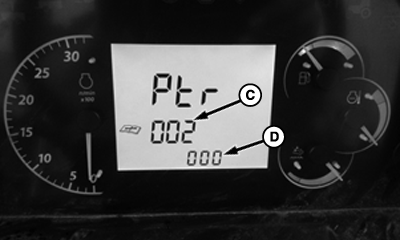
Addresses 002 through XXX (C) displays control unit software states, configurations, and operational information (D) relating to various machine systems. John Deere dealers can use DA to assist in DTC service work.
DISPLAY
DESCRIPTION
C - Diagnostic Address
Record address number.
D - Diagnostic Address Value
Record address value XXXXXX and contact John Deere™ dealer.
|
CP00834,00021F6-19-20160613 |