On-Board Diagnostic (OBD) Tool
CPA0002839-UN-13JUN16
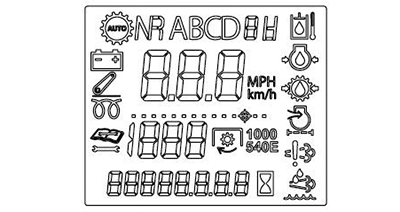
(A) Information Display
CPA0002826-UN-01JUN16
CPA0002734-UN-10MAY16
CPA0002816-UN-31MAY16
Diagnostic Trouble Code Mode
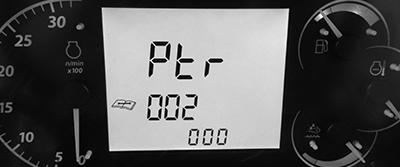
CPA0002817-UN-31MAY16
Diagnostic Address Mode
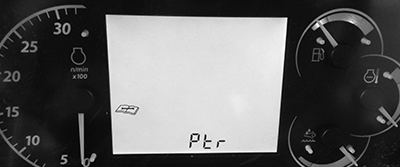
CPA0002818-UN-31MAY16
Controllers Navigation
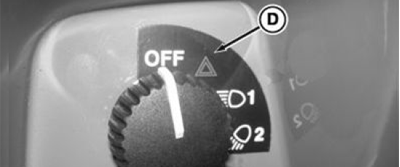
NOTE: Information display (A) accesses diagnostic mode when machine warning switch (D) and lights are not active.
|
CONTROL |
COMMAND |
|---|---|
|
A - Information Display |
Communicates error, fault, or information messages. |
|
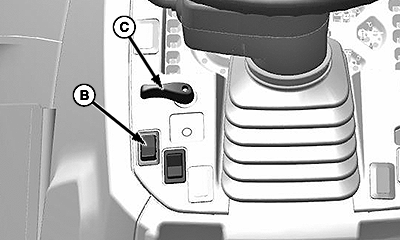
B - Roll Mode Switch |
Enter or select in information display menus. |
|
C - Turn Signal Lever |
Scroll through information display menus (left goes back in menu and right goes next in menu). |
-
Hold roll mode switch (B) for 5 seconds to enter On-Board Diagnostic Tool.
-
Two OBD Tool modes can be displayed on information display (A):
- Diagnostic Trouble Codes Mode (DTC)
- Diagnostic Address Mode (DA)
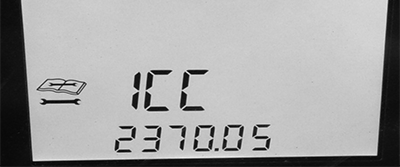
NOTE: Control unit acronyms are shown in alphabetical order (CCU, ECU, EIC, ICC, and PTR).
-
Use turn signal lever (C) to navigate through the controllers.
-
Use roll mode switch (B) to change to Diagnostic Address Mode.
-
To exit from On-Board Diagnostic Tool, use one of the following methods:
- Hold roll mode switch for 5 seconds.
- Cycle the instrument cluster power.
- Enable warning lights.
|
CP00834,0002207-19-20160614 |