Attach Implement to Rear Hitch - Hook End
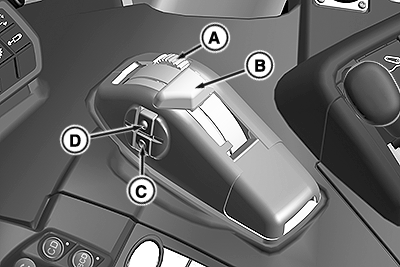
RXA0153750-UN-08SEP16
A - Position Control Lever Stop
B - Position Control Lever
C - Quick Lower Button
D - Quick Raise Button
 CAUTION: Hitch movement can cause injury or death.
To prevent unexpected movement of rear hitch, set load depth to position control (setting “0”) before attaching implement to hitch.
IMPORTANT: Ensure center link and lift link adjustments DO NOT cause implement contact with fenders.
NOTE: Engine must be running for 3-point hitch control to work.
-
Back machine up to implement to be attached. Engine must be running to operate the rear hitch.
-
Use position control lever (B) to raise or lower draft links near the attachment points. DO NOT use rear quick raise/lower buttons (C and D).
-
Set desired depth with the position control lever stop (A)
-
Be sure that drawbar does not interfere. If necessary, move the drawbar to fully retracted position or remove it. Check for any other potential interference.
Hook End Draft Links
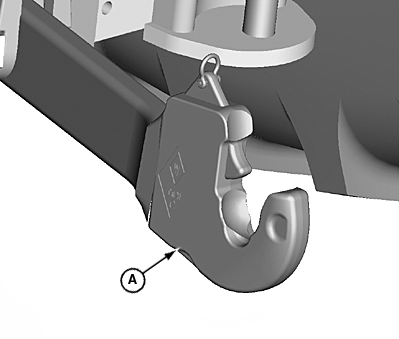
LV15845-UN-29JUN12
A - Hook Type Draft Link
CAUTION: When implements with asymmetrical load (e.g. side-mounted
mowing unit) are attached, or when driving through high-growing bushes
and trees (e.g. when working in the forest), the draft links must
be secured against opening accidentally.
NOTE: The coupler hooks can be locked in their "open" position by pulling on lever and rotating 90 degrees.
To close the coupler hook again, pull the lever up at an angle and rotate.
Hook type draft links (A) are intended for Category I and Category II implements. Implements can be attached to and removed from the draft links without the driver having to leave the seat.
Draft Link Release Cable
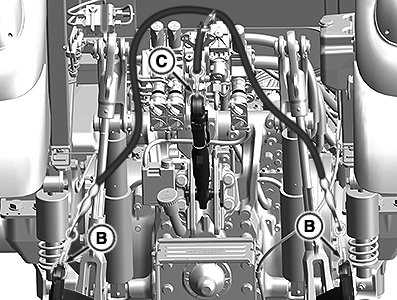
RXA0156173-UN-16DEC16
A - Release Cable
B - Draft Link Ends
C - Center Link
Hook type draft links (B and C) can be released from the operators position by pulling on cable (A). When cable (A) is released hook end draft links return to closed position.
Attaching Implement
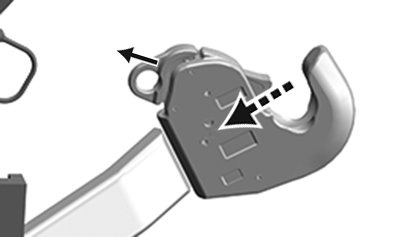
RXA0156170-UN-13DEC16
-
With draft links lowered, reverse machine until the coupler hooks are below the implement hitch pins.
-
Slowly raise draft links until pins are engaged in coupler hooks and locked into position.
-
Adjust center link to the required length and attach to top attaching point of implement mast.
IMPORTANT: Make certain that implement is correctly locked to coupler hooks.
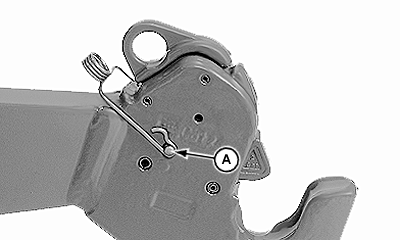
Draft Link Hook Lock
LV16212-UN-22OCT12
A - Draft Link Locking Pin
CAUTION: Use draft link locking pins on applications where implement
could be forced up and open unintentionally. Examples are driving
through high-growing bushes, trees, or implements with asymmetrical
load, such as a side-mounted mower.
-
Lower rear hitch below the implement connection points.
-
Position coupler ends of lift arms below the implement link pins and slowly raise hitch until coupler ends lock on the pins.
-
Insert draft link pins (A) in both coupler hooks. See your John Deere dealer for locking pins.
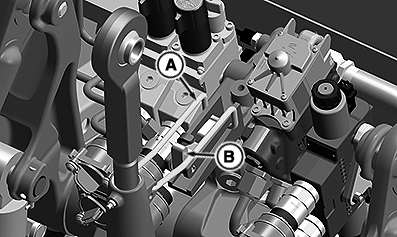
Center Link
RXA0153758-UN-12SEP16
A - Center Link Locking Clip
B - Release Tab
-
Pull release tab (B) back and remove center link locking clip (A) to release center link from the transport hook.
-
Attach center link to implement top mast. Use SCV IV to extend hydraulic center link if equipped.
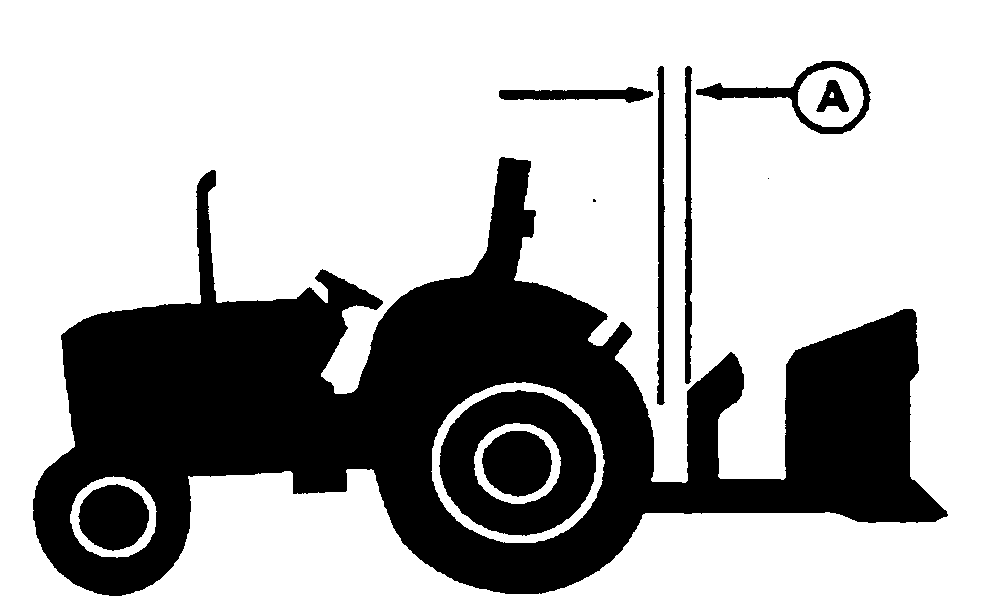
Adjust and Check Clearance
M47177-UN-31JAN92
A - Clearance
IMPORTANT: Whenever an implement, quick coupler, or attachment is connected to the hitch, check full range of operation for interference, binding, or PTO separation.
When large diameter rear tires are installed, a quick coupler or similar device is required to provide adequate implement-to-tire clearance.
-
Adjust center link and lift links as necessary. See “Level Hitch” in this section.
-
Adjust sway as necessary. See “Adjust Hitch Side Sway” in this section.
-
Start engine.
-
Slowly raise and lower implement with hitch fender switch or position control lever.
-
Watch for interference points and adjust hitch setting as required.
-
Check for adequate clearance (A) between outside diameter of the tire and implement with hitch in raised position.
|
BH38674,0000578-19-20161216 |