Exhaust Filter Cleaning Overview
Overview:
IMPORTANT: The area over, and surrounding the engine during a manual exhaust filter cleaning must be free of any flammable objects. Exhaust reaches temperatures as high as 550°C (1022°F).
The exhaust filter requires maintenance periodically. Some of the maintenance is transparent to the operator. During continuous heavy loads and other conditions, the engine creates enough heat to remove accumulated soot in the exhaust filter naturally.
When the exhaust filter has accumulated higher levels of soot, the corner post display requests an exhaust filter cleaning. During this request, the equipment must be located or moved to a suitable location with adequate ventilation. Engine speed must be kept above 1200 rpm and filter cleaning allowed to finish uninterrupted. If using the machine to perform work, most of the time the filter cleaning occurs with little to no noticeable impact on the application.
The symbols which appear on the operator interface are shown. These symbols appear within the information and primary displays.
In addition to the symbols, there are notifications, alarms, and trouble codes associated with exhaust filter cleaning. These messages appear on the information display to make the operator aware.
Emission System Temperature/Filter Cleaning Indicator:
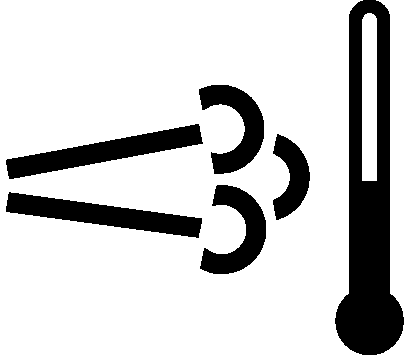
H94829-UN-13OCT09
Emission System Temperature/Filter Cleaning Symbol
Appears on the primary display as a lighted icon. When this icon is illuminated, the emission system temperature is high enough to allow an automatic filter cleaning to occur or a filter cleaning is occurring.
Automatic exhaust filter cleaning is started when sulfur or urea deposits in the exhaust filter reach a certain level and the engine speed is above 1200 rpm. Engine system temperature/filter cleaning symbol remains illuminated during the exhaust filter cleaning. Automatic exhaust filter cleaning is initiated and performed without any intervention on the part of the operator.
Auto Filter Cleaning Icon:
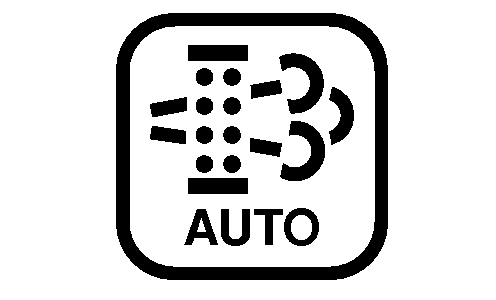
RXA0152960-UN-21JUL16
Auto Filter Cleaning Selection
Found in the engine menu on the information display. Changes to this setting will reduce machine performance over time. Selecting this option in the engine menu allows the operator to choose between “Automatic Cleaning” and “Cleaning Disabled”.
Leave the setting at “Automatic Cleaning” at all times unless a condition exists where high exhaust temperatures are unacceptable. Each time the key is cycled off the setting reverts to automatic cleaning.
 CAUTION: Under certain circumstances, high exhaust temperatures
associated with exhaust filter cleaning could pose a risk or fire.
Changing the setting to “Cleaning Disabled” may be desirable
for certain applications. Operations where connected to exhaust duct
work, in confined spaces, working close to combustible materials and
others should be considered.
CAUTION: Under certain circumstances, high exhaust temperatures
associated with exhaust filter cleaning could pose a risk or fire.
Changing the setting to “Cleaning Disabled” may be desirable
for certain applications. Operations where connected to exhaust duct
work, in confined spaces, working close to combustible materials and
others should be considered.
IMPORTANT: Disabling the filter cleaning process frequently leads to reduced engine performance and requires a parked exhaust filter cleaning more frequently.
NOTE: For additional display navigation information, see “Basic Menu Navigation” in the Displays, Software, and Electronics Operation section.
Filter Cleaning Icon:
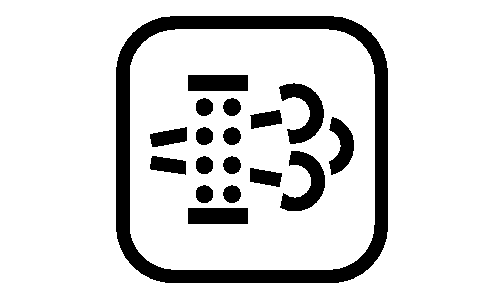
RXA0152961-UN-21JUL16
Filter Cleaning Selection
IMPORTANT: If operator disregards indicators and continues to operate machine without allowing an automatic cleaning, engine performance is reduced. A parked exhaust filter cleaning procedure must be performed. Continued disregard requires a John Deere dealer to perform a service exhaust cleaning procedure.
Found in the engine menu on the information display. When allowed, a parked filter cleaning can be performed through this menu. If the exhaust filter has not been allowed to perform automatic cleaning on a regular basis or becomes plugged, a parked cleaning is required. If the system does not require a parked cleaning, the filter cleaning icon is unavailable to select.
Parked Filter Cleaning:
CAUTION: Parked exhaust filter cleaning creates high exhaust
temperatures and takes 30—45 minutes to complete. Park machine
in an area with adequate ventilation away from combustible materials.
IMPORTANT: Once the parked cleaning process is initiated, allow it to finish uninterrupted.
-
Check the fuel level. Fill if needed.
-
Park the machine in a suitable space, disengage PTO and any auxiliary functions, and lower any implements all the way to the ground.
-
Set engine speed to low idle.
-
Use NO other machine functions while exhaust filter cleaning is taking place. Excluded are functions that are required for an emergency shutdown of the machine.
-
Select the “Filter Cleaning Icon” in the information display.
-
Display prompts to “Initiate Parked Filter Cleaning”. Select “Start” to begin.
-
A list of conditions to be met appears next. If all of the boxes are checked, depress the enter/accept button on the navigation pad to begin.
-
Select “Next” and depress the enter/accept button again to initiate.
-
Allow the process to run without interruption. Engine speed increases without any input from the operator. A progress bar shows on the information display during the process.
-
An “Exhaust Filter Cleaning Complete” message appears if the process is successful. Select “OK” to leave the menu.
-
If the process does not complete, an error message appears related to one of the following conditions:
-
Throttle was not set to low idle.
-
Machine not in park and wheel speed detected.
-
PTO speed detected.
-
Filter cleaning could not be completed. If this error occurs, it is recommended to take the machine to your John Deere dealer for service.
-
-
Continue machine operations as normal.
NOTE: If not returning machine to operation, allow engine time to return to normal operating temperature before stopping engine.
Service Exhaust Filter Cleaning
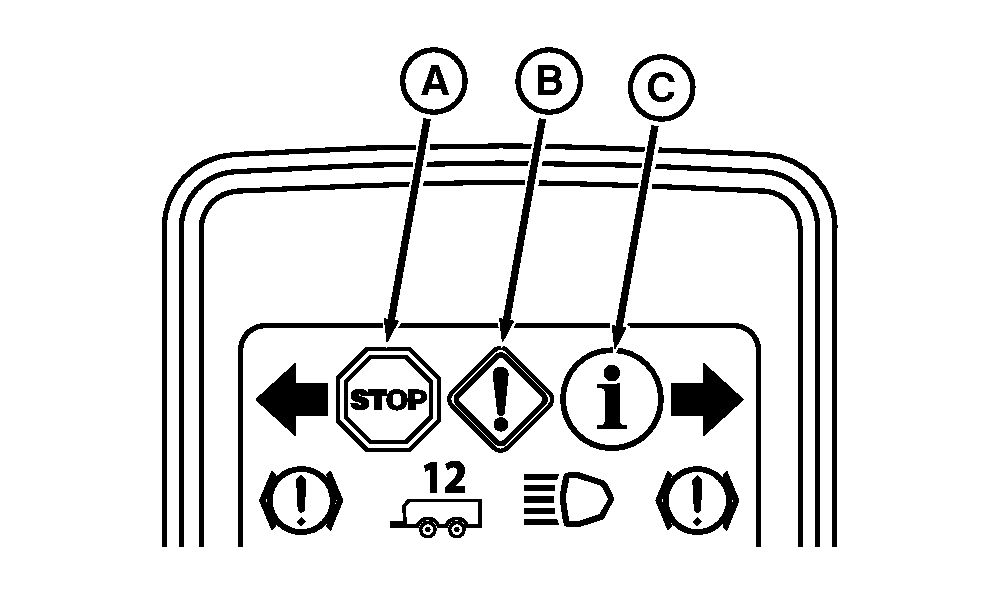
RXA0153450-UN-19AUG16
Warning Indicators
A - Stop Indicator
B - Warning Indicator
C - Information Indicator
IMPORTANT: Repeated cancelation or ignoring stop indicator (A), warning indicator (B), or information indicator (C) to perform a parked exhaust filter cleaning procedure causes additional engine power limitations which eventually lead to a dealer required service.
When STOP indicator (A) is illuminated and a corresponding emissions trouble code occur at the same time, contact your John Deere dealer.
Tips for avoiding service-cleaning:
- Use ultra-low sulfur fuel.
- Avoid unnecessary idling.
- Avoid disabling exhaust filter cleaning unless it is necessary.
- Avoid interrupting cleaning process unless it is necessary.
- If possible, do not shut off the engine while the exhaust filter indicator light is on.
- Take note of information displayed for the operator and act accordingly.
|
MP60050,000094C-19-20161122 |