Checking and Adjusting Hand Brake Lever
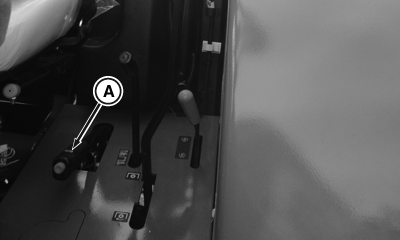
PY16430-UN-22OCT12
A - Hand Brake
|
Service Interval — As required |
-
Start tractor engine. (See Starting the Engine in Engine Operation section.)
-
Move hand brake lever to unlocked position (down).
-
Pull up on hand brake lever (A) until a second "click" is heard. hand brake indicator on instrument panel should light.
-
If indicator does not light, stop the tractor engine. (See Stopping the Engine in Engine Operation section.)
-
NOTE:
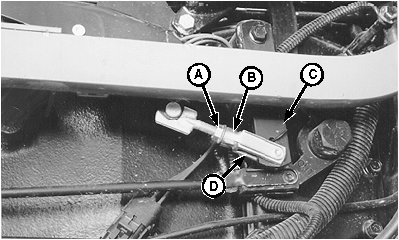
LV1599-UN-30MAY96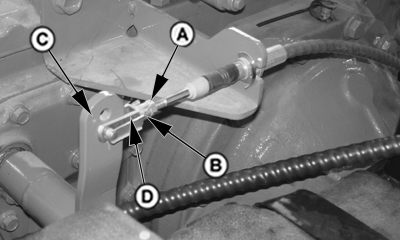
PUM2027-UN-09JAN07A - Jam Nut
B - Clip Pin
C - Lever
D - Yoke
Left-hand wheel and fender removed for clarity of photo.Install blocks in front of and behind tractor wheels.
-
Move hand brake to unlocked position (down).
-
Loosen jam nut (A).
-
Remove clip pin (B) to disconnect yoke (D) from lever (C).
-
With lever (C) in rearward position, rotate yoke (D) until hole in yoke aligns with bottom hole in lever.
-
Install clip pin and perform steps 1-3. If hand brake does not engage, see your John Deere dealer.
-
Tighten jam nut.
|
PX07220,000024C-19-20160414 |