Using the Digital Hour Meter
NOTE: The machine is equipped with an electric start. The hour meter will continue to run with the key switch in the run position.
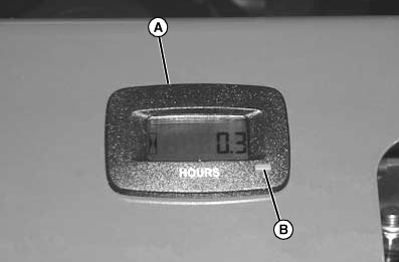
TCAL43617-UN-26MAR13
- Hour meter (A) shows number of hours the machine has been operated.
- Use hour meter and Service Interval section to determine when machine needs service.
- Shut off engine: The hour meter will display how many times the engine has been started.
Operating/Resetting Procedure
Press button (B) as described to program or reset the hour meter.
- Default display: Hours
- Press button once (TMR1): Timer 1, press for 3 seconds to reset.
-
Press button twice (TMR2): Timer 2, press for 3 seconds to reset.
NOTE: Beginning 5 hours before the next service interval, the
hour meter will flash “svc ENG” every 5 seconds in the
“remaining hours”.
- Press button three times (svc ENG): The hour meter will display the time until the next service interval. Hold the button down to reset.
|
BB87125,0001453-19-20130708 |