Servicing Precleaner and Air Cleaner Element
Servicing The Precleaner
IMPORTANT: Avoid damage! Check the air cleaner daily or before starting the engine.
- Check for buildup of dirt and debris around the air cleaner system. Keep this area clean.
- Check for loose or damaged components. Replace or repair as needed.
-
Loosen the cover retaining knob (A) and remove the air cleaner cover (B).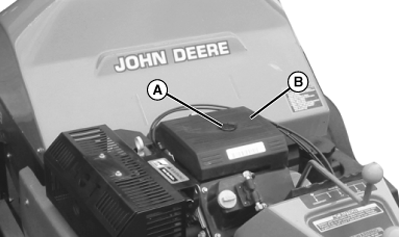
TCAL41089-UN-18JAN13 -
Remove the foam precleaner (C) from around the paper element.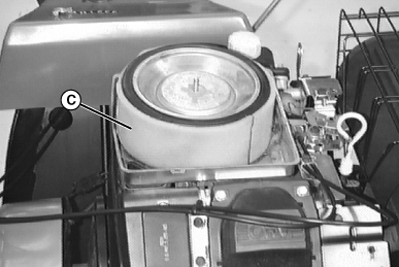
TCAL41090-UN-18JAN13 -
Wash the precleaner in warm water with detergent. Rinse the precleaner thoroughly until all traces of detergent are gone. Squeeze out excess water (do not wring). Allow to air dry.
-
Install the precleaner over the paper element.
-
Install air cleaner cover. Secure the cover by tightening the cover retaining knob.
Servicing The Paper Element
-
Loosen the cover retaining knob and remove the air cleaner cover.
-
Remove the foam precleaner (A) from the paper element (B).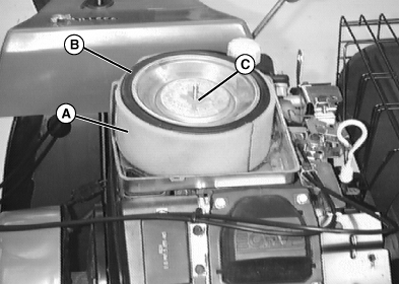
TCAL41091-UN-18JAN13 -
IMPORTANT: Avoid damage! Dirt and debris can enter the engine through a damaged filter element:
- Do not wash paper element.
- Do not attempt to clean paper element by tapping against another object.
- Do not use pressurized air to clean element.
- Replace element only if it is dirty, damaged or the seal is cracked.
Remove the element cover nut (C), element cover, and the paper element.
-
Check the air cleaner base. Make sure that it is secured and not damaged. Check to make sure that rubber seal is in position around stud.
-
Clean the foam precleaner and install onto the new paper element. Install the element, element cover and secure with nut.
-
Install air cleaner cover.
|
OUO1082,00065C0-19-20150611 |