Replacing Flex-Link Bumper Stops
-
Park machine safely. (See Parking Safely in the Safety section.)
-
Remove wing nut (A) and washer to remove divider seal (B).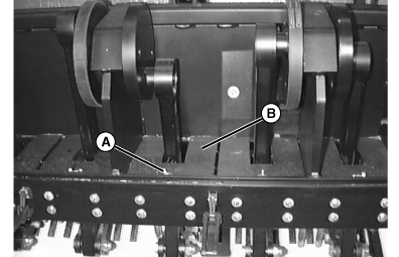
TCAL41137-UN-18JAN13 -
Loosen nut (C) to release pressure on return links. Remove nut and bolt (D) at rear of flex-link.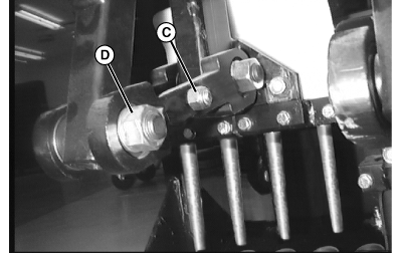
TCAL41138-UN-18JAN13 -
Remove four bolts (E) to allow bumper bracket and arm (F) to drop down away from frame.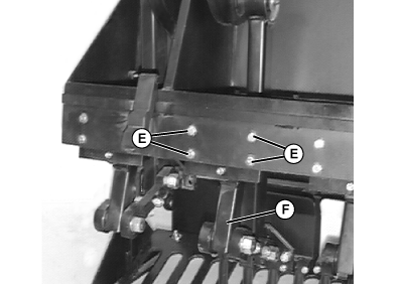
TCAL41139-UN-18JAN13 -
Remove screw (G) from bracket plate using hex head wrench.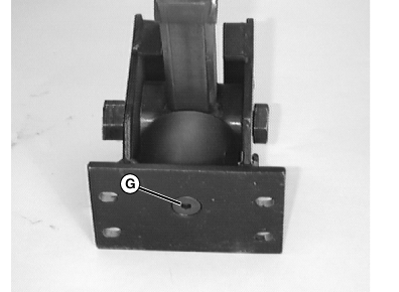
TCAL41140-UN-18JAN13 -
Remove nut (H) and bolt (I). Remove flex-link arm with rubber bumper from the bracket assembly (J).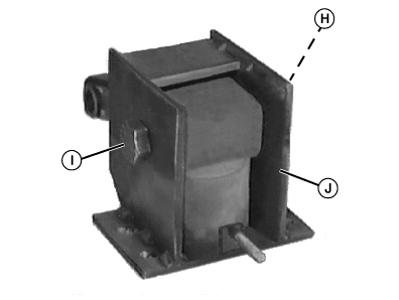
TCAL41141-UN-18JAN13 -
Remove old bumper (K) by unscrewing from the flex-link arm (L).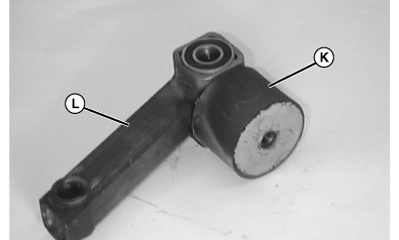
TCAL41142-UN-18JAN13 -
Install new bumper (K) onto flex-link. Tighten bumper securely to link using a strap wrench. Do not overtighten. Install bumper and arm into bracket and secure bumper to bracket by installing screw (G).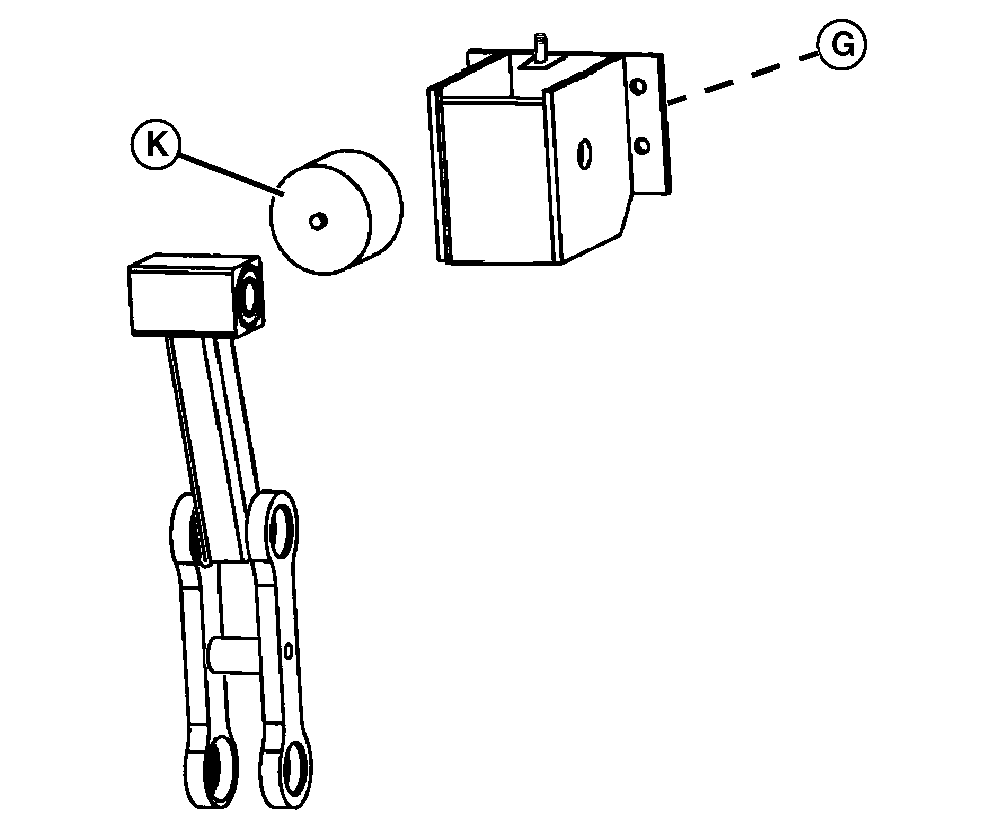
TCAL41143-UN-18JAN13 -
Install flex-link to bracket with bolt (I) and nut (H).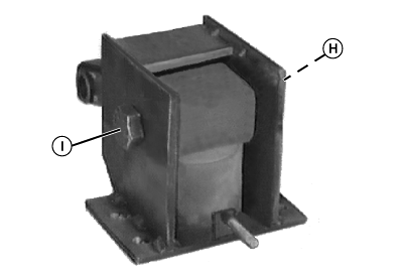
TCAL41144-UN-18JAN13 -
Attach bracket assembly to frame using existing hardware (E). Assemble return link to flex-link. Tighten nut (H) to standard torque.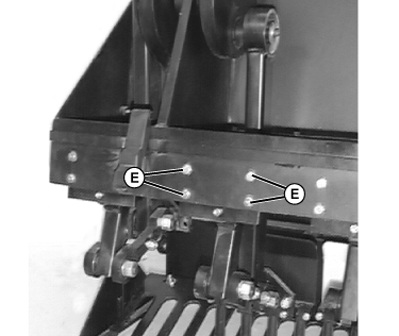
TCAL41145-UN-18JAN13 -
Install divider seal with washer and wing nut.
|
OUO1082,00065DC-19-20130215 |