Diesel Particulate Filter Load Level and Value
From the Service Menu, cycle through the screens until you reach the DPF Level screen. (See Using Service Menu Displays)
Pressing the right button of the DPF Level screen displays DPF Load Level screens and menus.
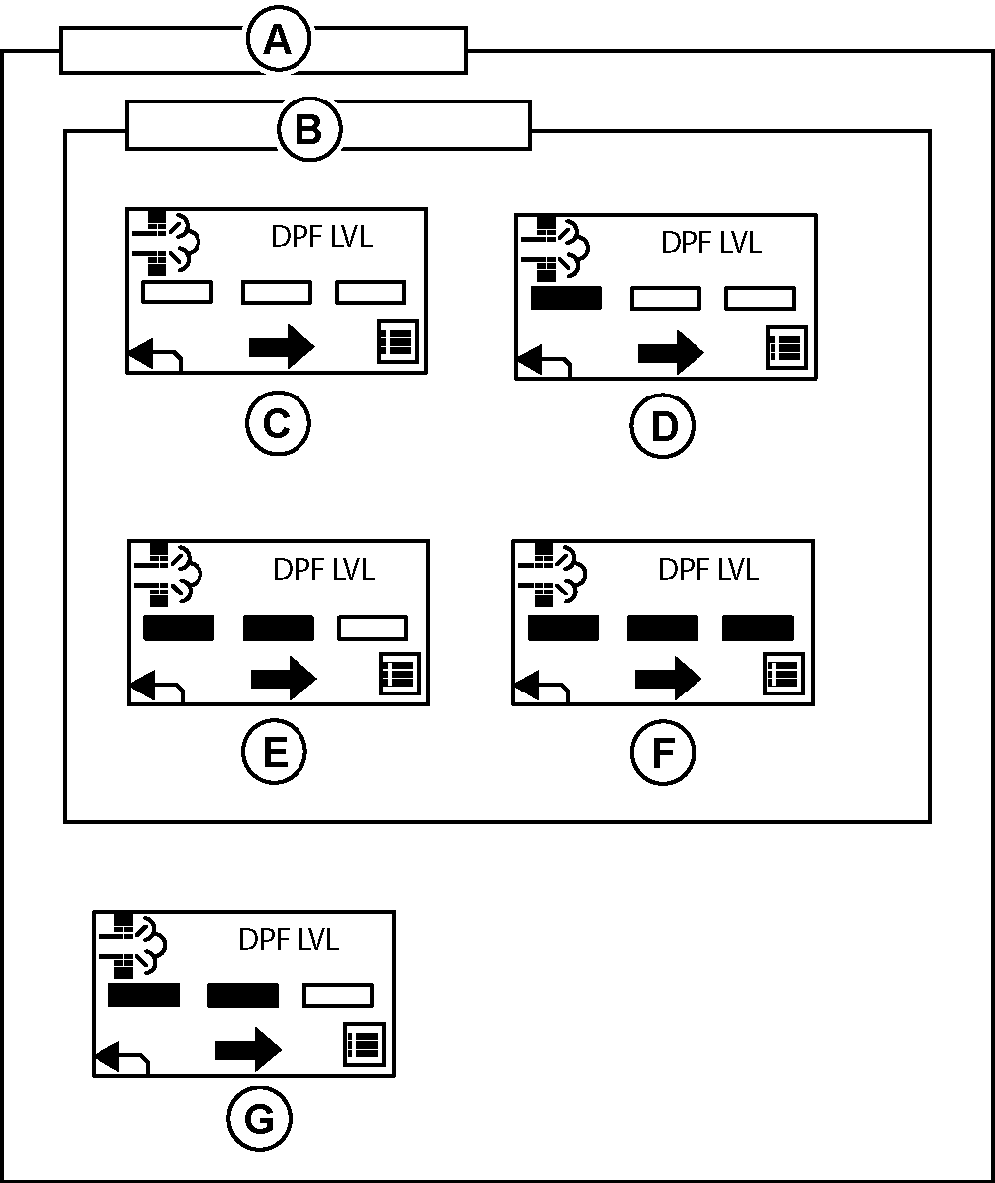
The DPF load level screen informs the operator of the state of the diesel particulate filter status. There are four states that this status can be in, but the progress bars are not linearly related to the actual soot loading value. If the notepad button is selected, the actual soot loading value is displayed.
TCT011365-UN-05NOV15
A - DPF Load Level Screen
B - DPF Bar Graph States
C - Regen not needed
D - DPF state low
E - DPF state moderate
F - DPF state high
G - DTC active
Specific DPF load value can be obtained by pressing the right hand button.
|
MX00654,0000049-19-20151105 |