Using Service Timers
NOTE: If while setting the timer, you wish to back out, you can press the left button to return to the previous menu. Your changes will not be saved.
-
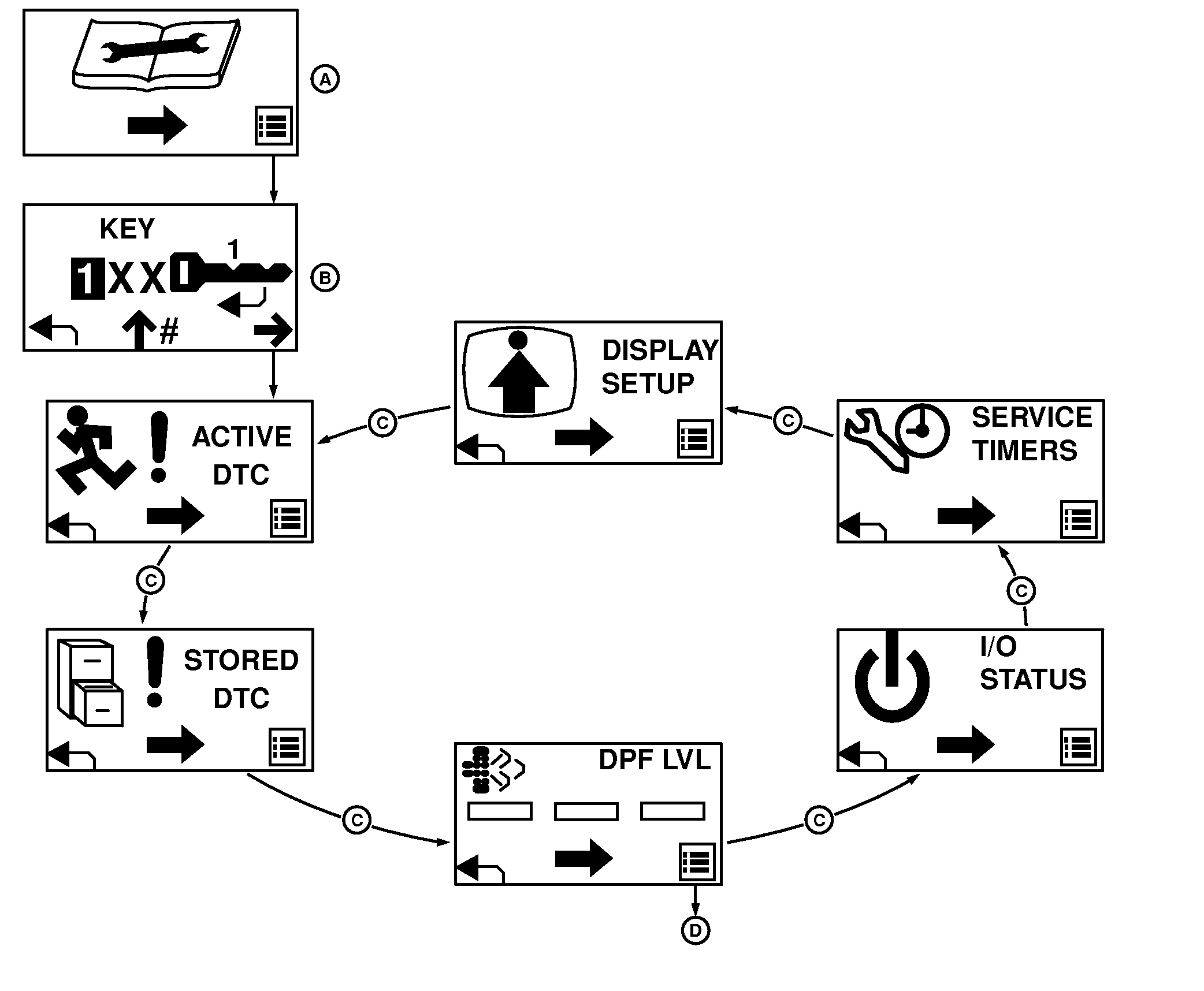
TCT012438-UN-23MAR15A - Service Mode Screen
B - Pass Code Entry Screen
C - Center Button Cycle
D - Right Button to DPF Menus
Cycle through the Service Menu screens until you reach the Service Timers screen. (See Using Service Menu Displays) -
Press the right button to adjust the service timers.
-
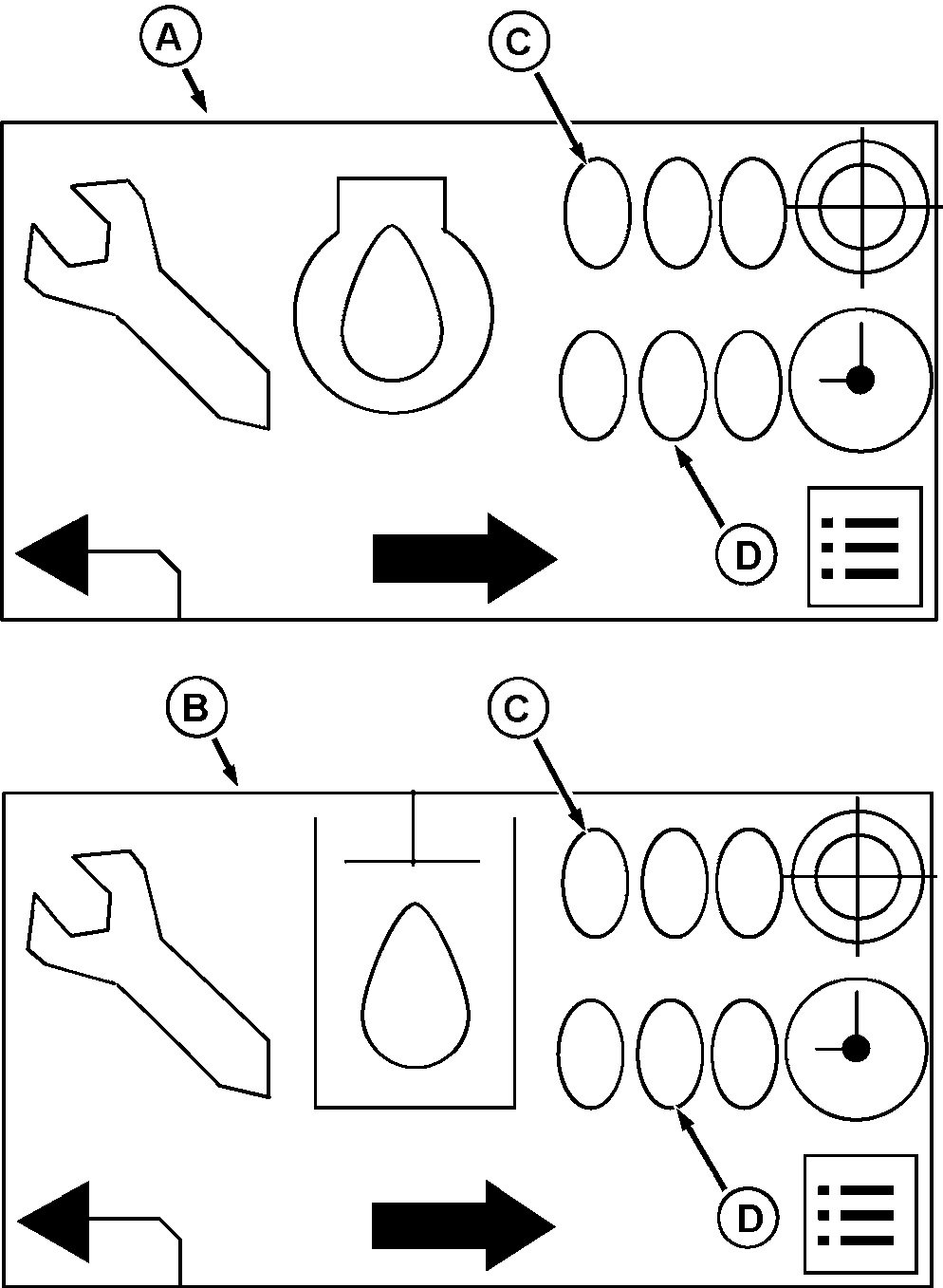
TCT011358-UN-26OCT15A - Engine Oil Service Timer
B - Hydraulic Oil Service Timer
C - Service Interval
D - Timer
Press the center button to change between engine oil (A) or hydraulic oil (B) service timers.Press the left button to return to the previous menu.
-
Press the right button to make adjustments to the service timer interval or timer values.
The service interval is top display (C) and the timer is bottom display (D). The service warning (exclamation point) will activate after the duration set in the interval display (C). Navigate to the display you want to modify.
Adjusting Service Timer
-
Press and hold the right button to reset the timer. A round indicator fills while you hold the button. When it is full, the timer should reset to 000. The timer should be reset after service is performed. For example, if the engine oil is changed, you should reset the timer to 000 for the engine oil service timer.
-
Press the center button to advance to the next screen. (Enabling and Disabling Service Warning).
Enabling or Disabling Service Warning
-
Press the center button to advance to the service warning screen.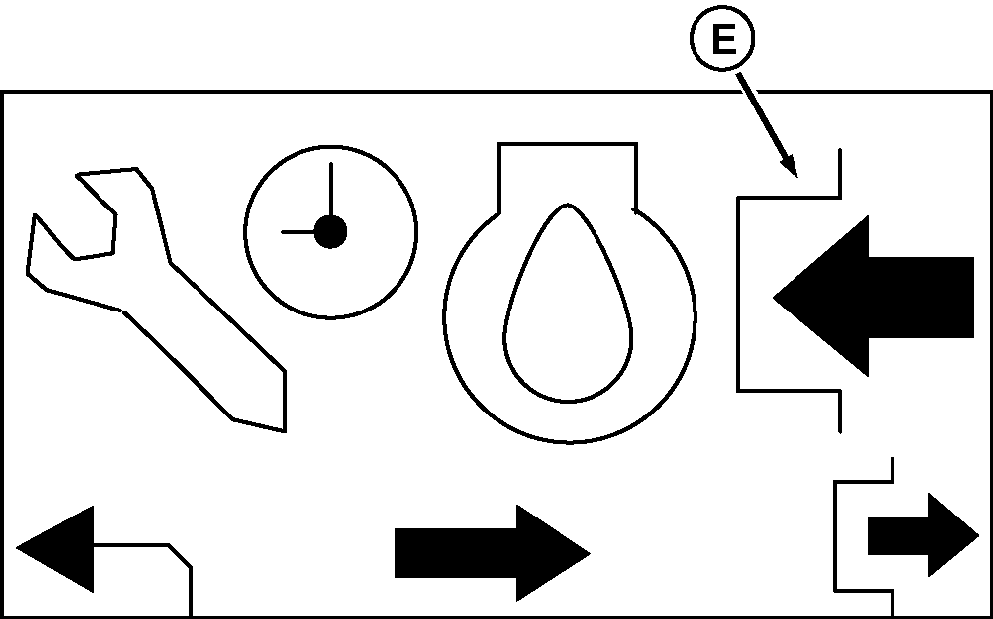
TCT011359-UN-26OCT15 -
Press the right button to enable or disable the warning. When the arrow (E) is pointing inward (as shown), the service warning is enabled. If the arrow is pointing outward, the service warning is disabled.
Adjusting Service Interval
-
Press the center button to move to the next screen. When you reach this screen, you are able to adjust the intervals for which the service warning alerts the operator.
-
Press the center button to adjust each digit (F). The digit will start at 0 and count upward by one. If you go past your intended digit, you can cycle through past 9 and reach 0 again. Press the right button once you have the correct value in each position. You have now set the service interval timer.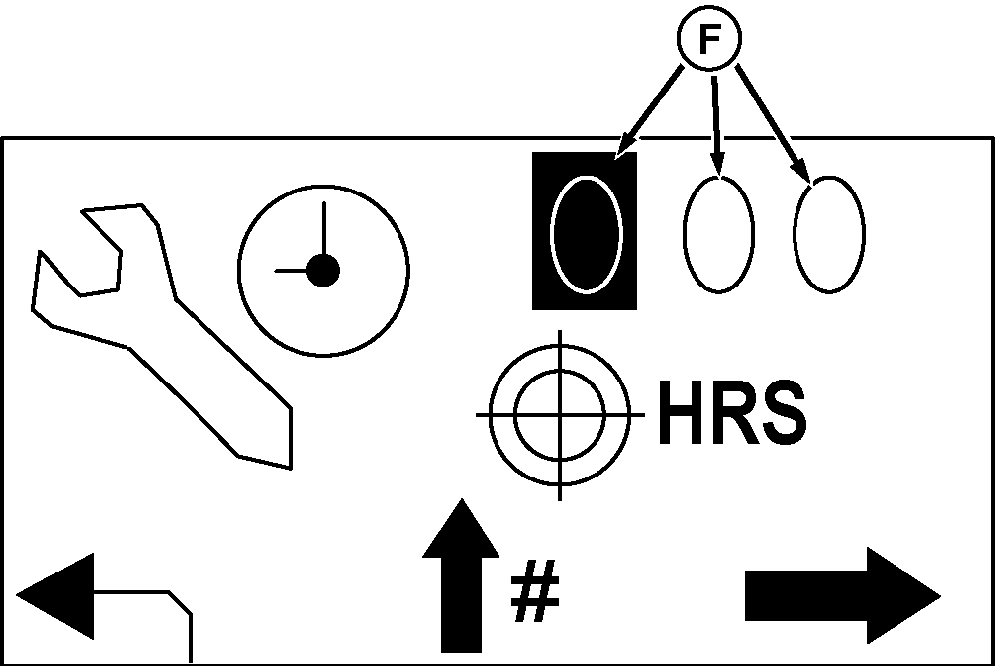
TCT011360-UN-26OCT15
|
MX00654,000007F-19-20151027 |