Using Display
NOTE: For any codes displayed, see Troubleshooting Guide for Common DTC's in the Troubleshooting section.
For further information regarding the operator display, see your machine technical manual.
TCT008007-UN-25MAR14
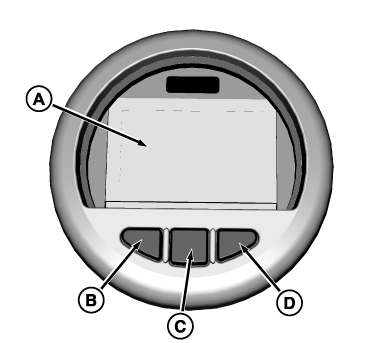
The operator should become familiar with the basic capabilities of the Operator Display. The Operator Display is located in the control console on the right side of the seat. This display consists of the LCD Screen (A) and three buttons (B, C, D).
The Operator Display has four (4) main screens. The operator can display each of the four main screens by pressing the center key (C). Each of these four screens has some functionality:
-
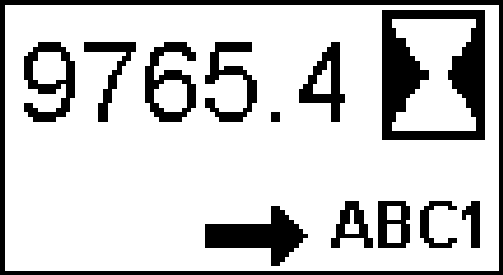
TCT010640-UN-26MAR14Hour Meter Top Level Screen
Hour-meter Screen: Displays quantity of hours machine has been used. Right key (D) can select language with “ABC1” selecting English and “ABC2” selecting Spanish. -
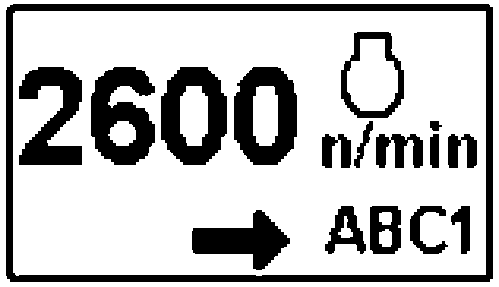
TCT010642-UN-26MAR14Engine RPM
Engine Tachometer Screen: Displays engine speed. Right key (D) can select language with “ABC1” selecting English and “ABC2” selecting Spanish. -

TCT010643-UN-26MAR14Diesel Particulate Filter Status Screen
Exhaust Filter (DPF) Screen: Displays status of Exhaust Filter (DPF). Right key (D) allows the operator to enable or disable the automatic mode of the DPF regeneration function. Operator should ensure that this remains in the automatic mode when machine is being operated in typical conditions. Note that the default mode is “Auto”. When the machine is shut down and restarted, it always returns to the auto mode. -
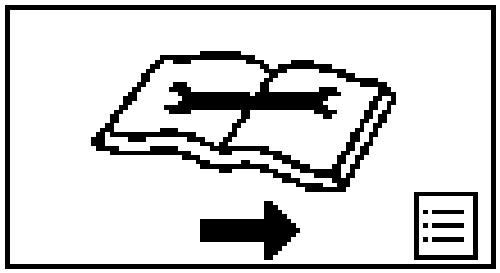
TCT010644-UN-26MAR14Service Menu Screen
Service Screen: This screen introduces a number of functions and is pass code protected. The default numerical pass code is 0 0 0. When a new pass code is entered into the display, it will remain there even if the machine’s battery is discharged or replaced.
The Operator Display can also communicate to the operator with a number of pop-up screens that could indicate with icons and a Diagnostic Trouble Code (DTC) when a machines critical function is impaired. (See the Troubleshooting Guide for Common DTC’s in the Troubleshooting section for further information.)
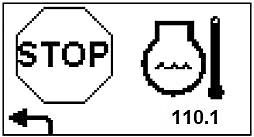
Example: When debris clogs the radiator the machine could overheat. The Operator Display would indicate this by showing a screen with these icons and DTC:
TCT011134-UN-24APR14
DTC Example
This screen would indicate by the Stop sign icon to stop the machine. The icon on the right indicates that the engine coolant temperature is high. The numerical code in the lower right of the screen is the DTC and this can be referenced in the Troubleshooting Guide. The Guide indicates what actions an operator would take to resolve the DTC 110.0.
|
OUMX068,00007DC-19-20151020 |