Using MotionMatch—(4052M, 4066M)
MotionMatch™ enables the operator to adjust machine acceleration and deceleration rates. Shorter starting and stopping distances can be set for applications requiring rapid changes in direction, such as operating with a loader. Longer starting and stopping distances can be set to avoid turf damage in other applications. .
-
Turn key switch on.
-
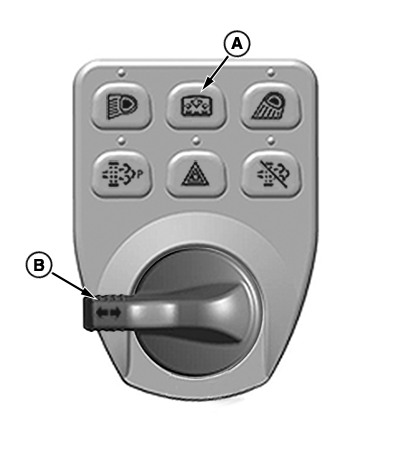
LV30641-UN-26SEP19A - Display Mode Switch
B - Right Turn Switch
No error codes should be displayed. If any errors are displayed, activate the display mode switch (A) to acknowledge the error. -
Press and hold the display mode switch until the display reads “Release”.
-
Press and hold the right turn switch (B) until the display reads “Coast”.
-
Press the display mode switch to select.
-
Press the right turn switch to change the desired setting between default “Short” and “Long”.
-
A MotionMatch setting of short is the shortest rolling (starting/stopping) distance.
-
A MotionMatch setting of long is the longest rolling (starting/stopping) distance
-
-
When the desired setting is displayed, activate the display mode switch to store the setting.
-
The runtime menu will have a new item of coast / short.
|
MotionMatch is a trademark of Deere & Company |
UP00731,00009B2-19-20191008 |